16
www.lannerinc.com
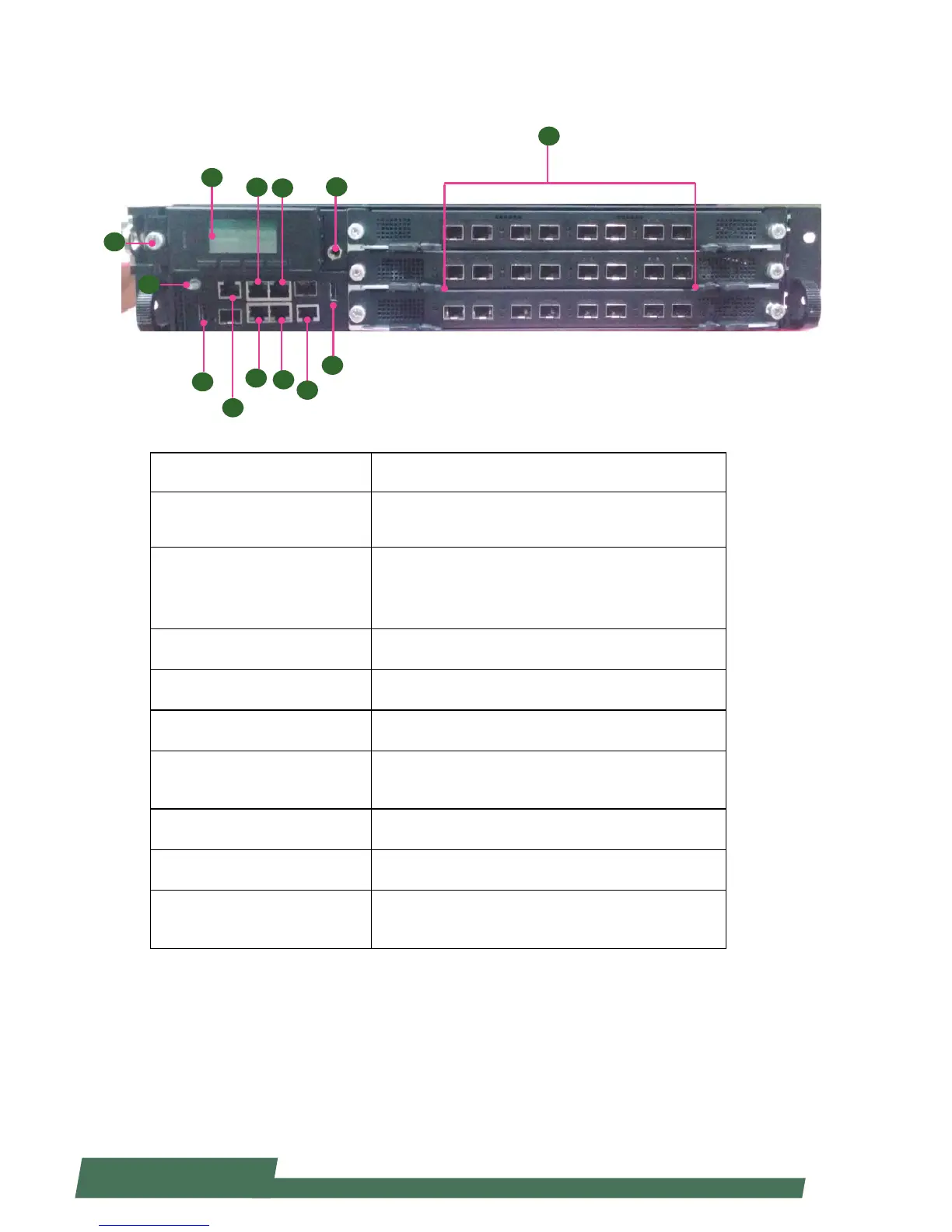
Front Components
Component Description
F1 Console
RJ-45 console port for connecting to a computer terminal
for local, out-of-band diagnostic or configuration
purpose.
F2 LCM
128 x 64 Graph LCM with 4 key pad•
Hinge LCM•
1 LED for power, 1 LED for Status and 1 LED for HDD•
F3 USB 2.0 Ports USB 2.0 type A connectors.
F4 Onboard Management Port RJ-45 onboard management port
F5 IPMI ports IPMI ports
F6 LCM Unlock Button
Push it to unlock LCM pad to access the two 2.5” drive
bays
F7 ESD Jack 1 x ESD Jack
F8 GND Ground
F9 Other RJ-45/SFP+ ports
Network ports (number and type of network ports may
vary depending on the modules installed)
F2
F1
F3
F1
F5
F4
F3
F6
F9
F7
F8
F5
F4



 To Next Page