30
www.lannerinc.com
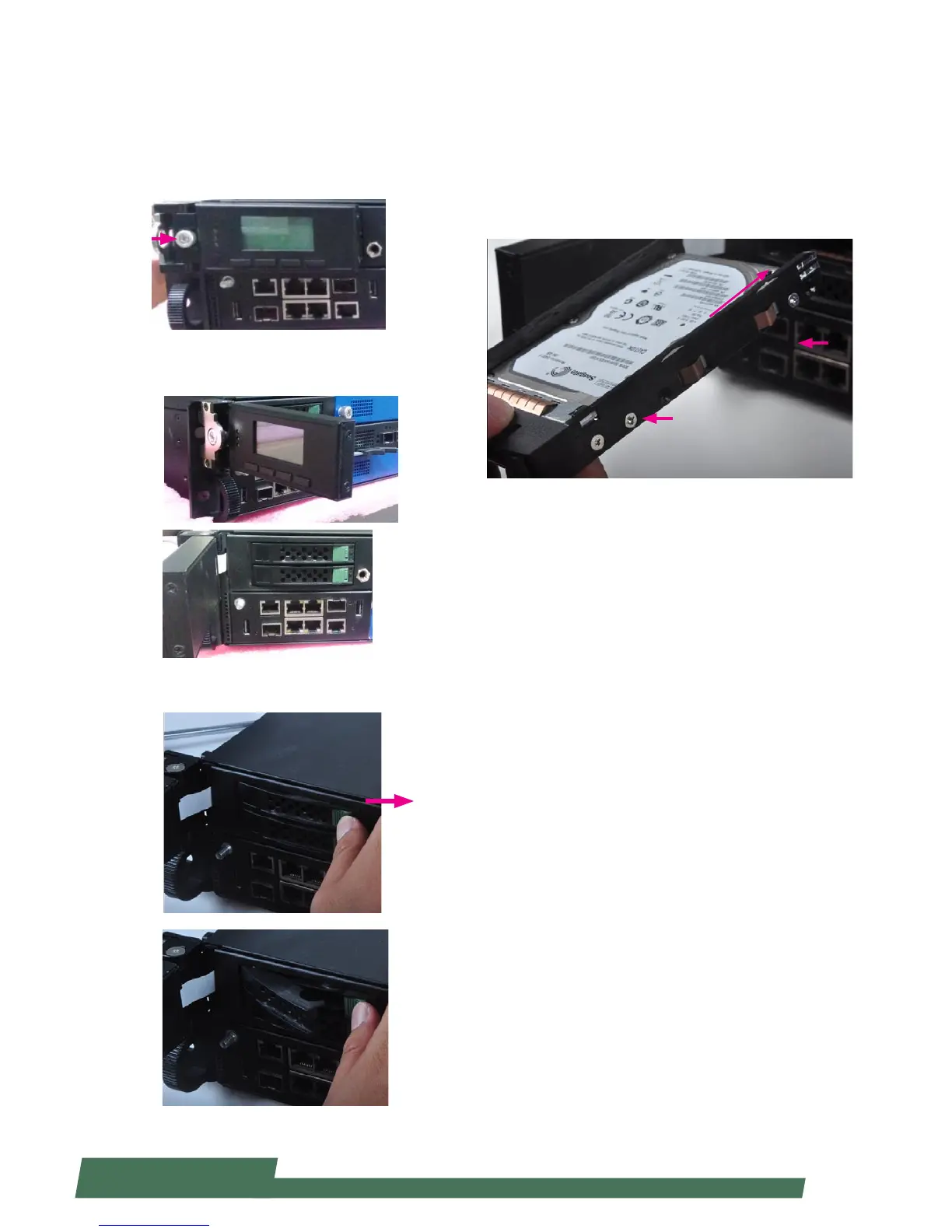
Installing HDD/SSD
The system is built to accommodate two 2.5” SATA disk
drives. Please follow instructions below.
1. The two 2.5” SATA disk drives are located behind the
hinge LCM. Rotate and loosen the lock-screw.
2. Open the hinge LCM and locate the HDD/SSD bays as
the images shown below.
3. Push the disk drive lock as the arrow of direction in the
image below. Then the disk drive bay will be released out.
4. Insert your HDD/SSD into the bay by aiming the SATA
connector of the drive as the arrow of direction in the
image shown below. Remember to use screws to fix both
sides of the disk drives.
SATA Connector direction



 To Next Page