99
www.lannerinc.com
Default Settings of PCI Express Switch
The following lists out the default settings of the PCI Express switch.
BIOS Version :
MB-7220(HCP-72I1) Ver.AA0 12/30/2014 Bottom Board
MB-7220(HCP-72I1) Ver.AA0 12/30/2014 Upper Board
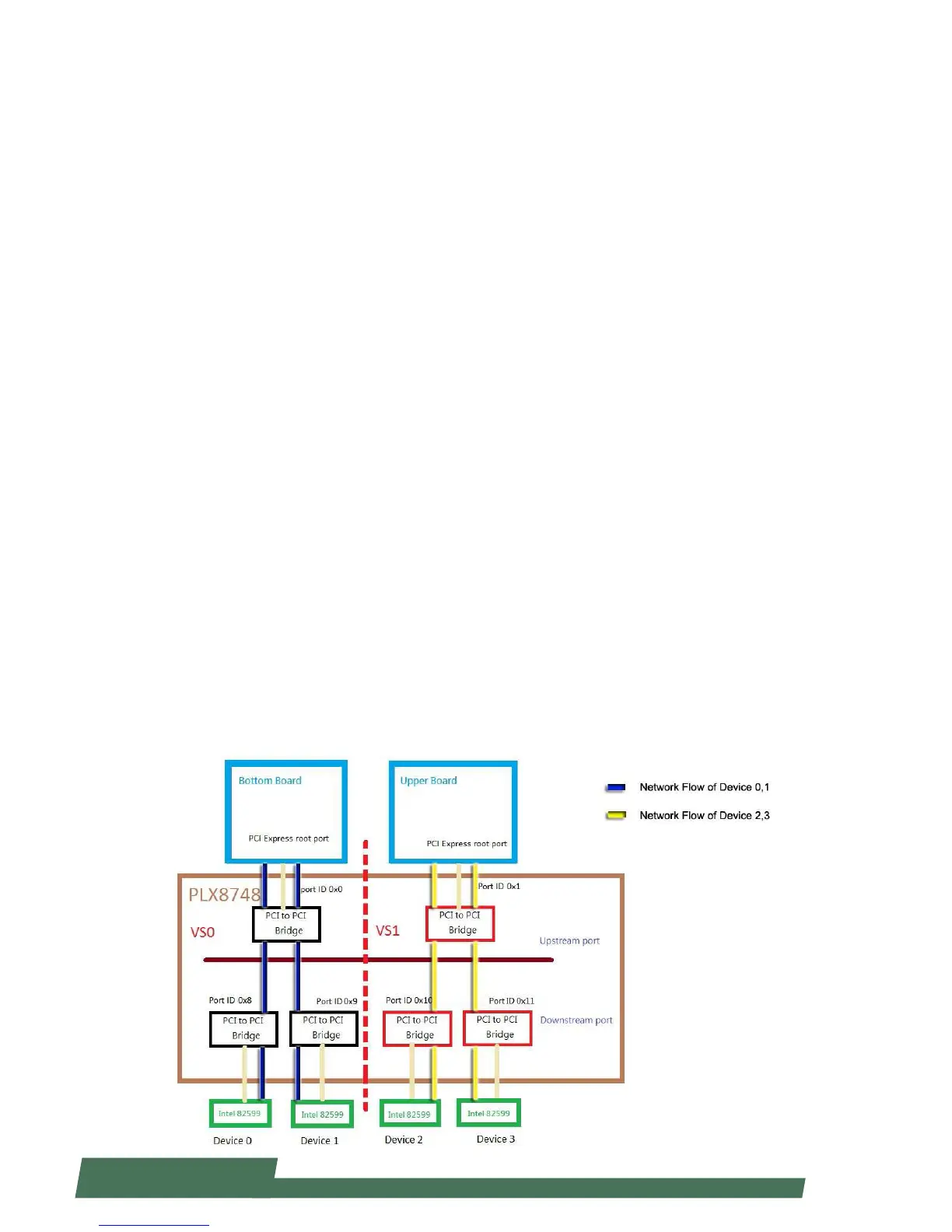
PLX 8748 Virtual Switch Table :
VS0 : upstream port 0x0, downstream port 0x8 and 0x9
VS1 : upstream port 0x1, downstream port 0x10 and 0x11
Note:
Upstream Port : The port that PCI Express bridge upward connects to the root port.•
Downstream Port : The port that PCI Express bridge downward connects to the device.•
Kernel Patch Provided by Lanner :
Solve the issue of insufficient BAR size space for VS0 and VS1.1.
The setting of “Payload size = 256” for Intel 82599 will improve the performance.2.
Demonstrating the Switching Methods for the PCIe Switch
The following lists out the environmental setting for the demonstration:
PCI root port on the Bottom Board connects to Port ID 0x0 of VS0.•
PCI root port on the Upper Board connects to Port ID 0x1 of VS1.•
The default Management Port is Port ID 0x0, therefore, only the Bottom Board can control PCI Express Switch. •
Others can control individual Port ID only.
Port ID 0x8, 0x9, 0x10 and 0x11 connect one set of Intel 82599 PCI Express LAN device respectively.•
Device 0 and 1 connect VS0 to the Bottom Board.•
Device 2 and 3 connect VS1 to the Upper Board.•



 To Next Page