55
www.lannerinc.com
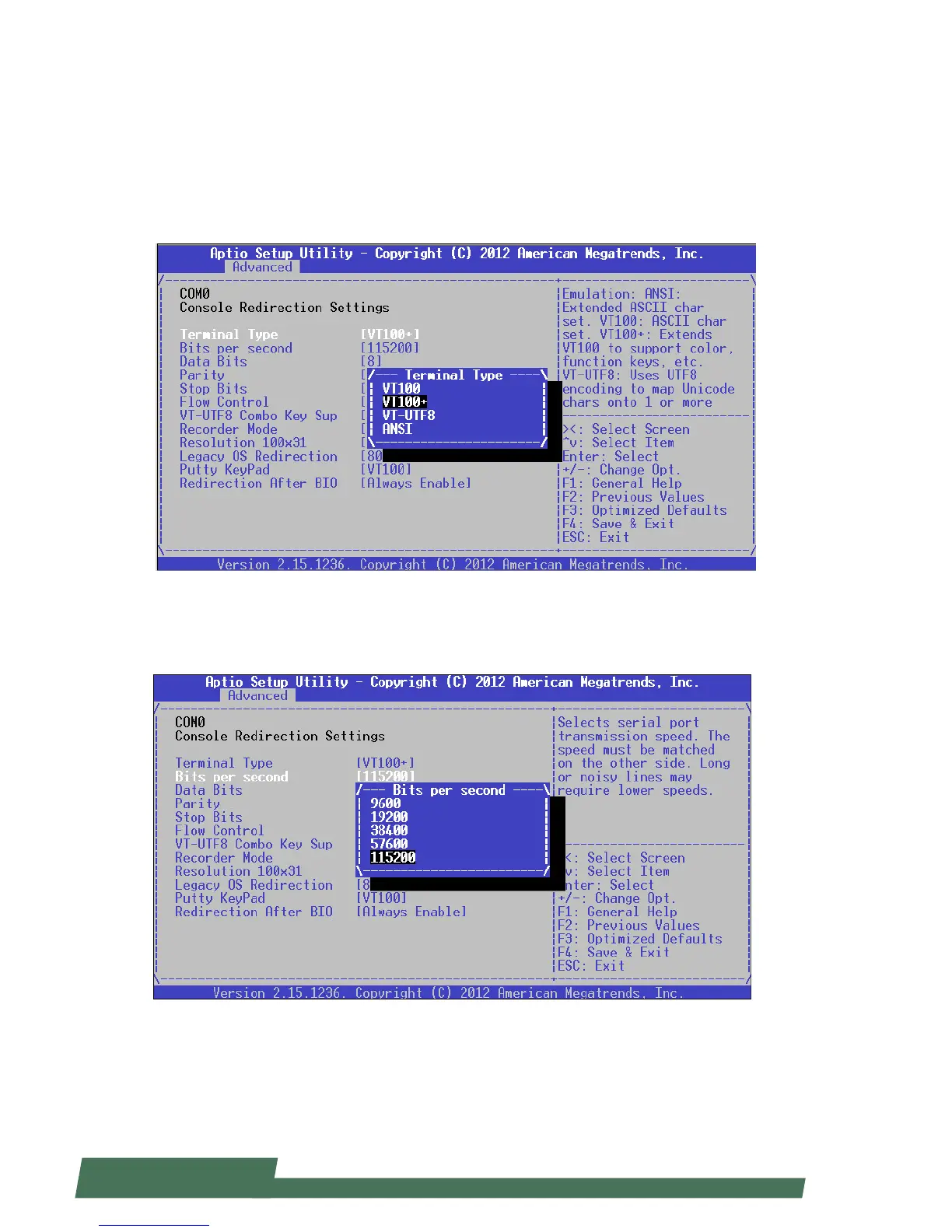
COM Console Redirection Settings
Terminal Type: the emulation configuration. Select “VT100”, “VT100+”, “VT-UTF8” or “ANSI”.
ANSI: Extended ASCII character set
VT100: ASCII character set
VT100+: extends VT100 to support color function keys
VT-UTF8: uses UTF8 encoding to map Unicode characters onto 1 or more
Bits per second: select “9600”, “19700”, “38400”, “57600”, or “115200” for bits per second. The Bps
will determine serial port transmision speed. The speed must be matched on the other side. Long or noisy lines may
require lower speeds.



 To Next Page