90
www.lannerinc.com
IPv6 Configuration
IPv6 Settings: tick to enable IPv6 setting in order to enter values for IPv6 address, subnet prefix length and default
gateway. If IPv6 is not in use, simply skip this setting.
Obtain an IP address automatically: tick to enable the use of DHCP to automatically obtain an IP address
IPv4 Address: enter the IP address for IPv6 network if DHCP is not enabled
Subnet Mask: enter the “Subnet Mask” if DHCP is not enabled
Default Gateway: enter the “Default Gateway” address if DHCP is not enabled
Save: Save configuration changes
Reset: Reset configurations
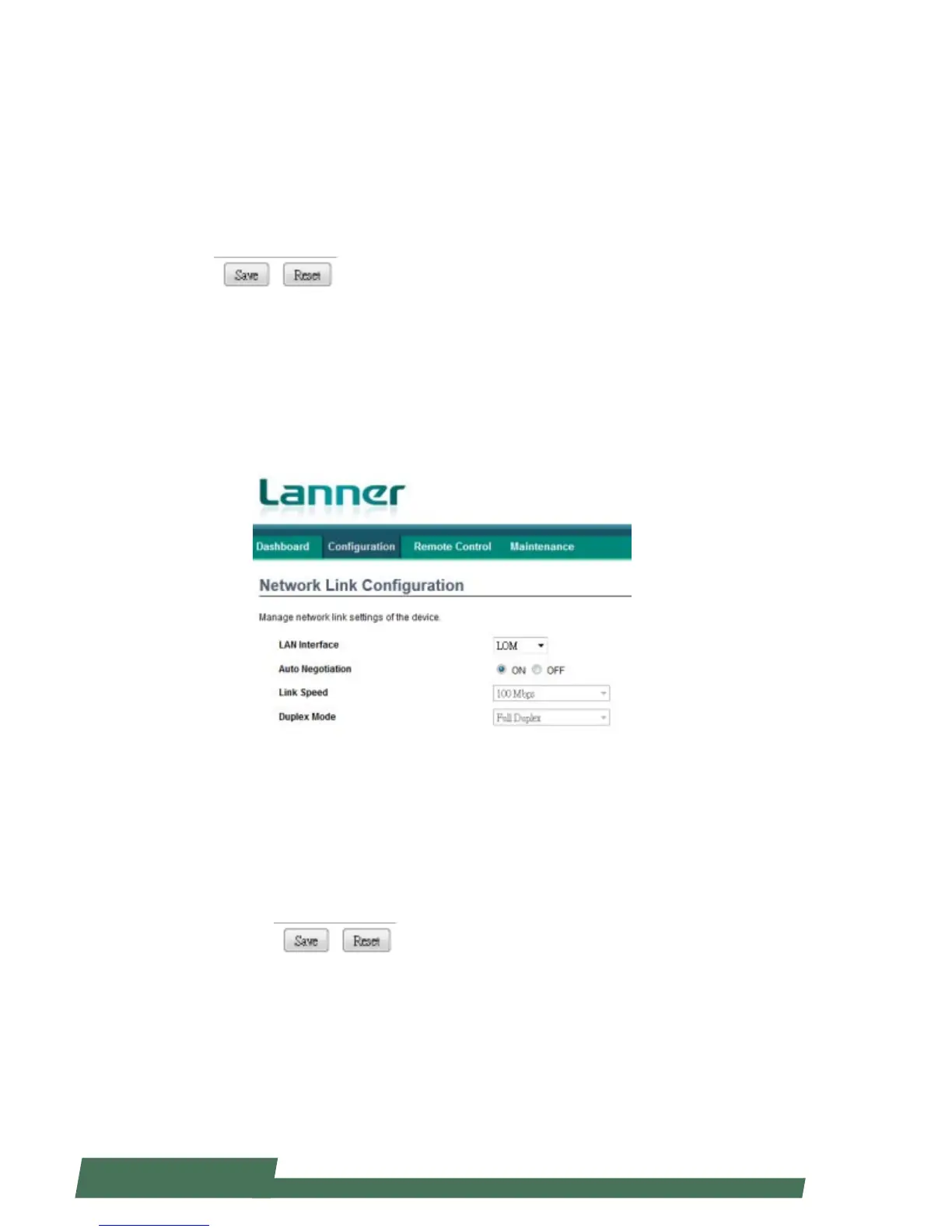
Network Link Configuration
Click “Network Link Configuration” under “Configuration” to manage network link settings of the device.
LAN Interface: configure the LAN interface
Auto Negotiation: enable it to configure the service configurations automatically. If this is “OFF”, you may have to
manually configure “Link Speed” and “Duplex Mode”.
Link Speed: configure the link speed if “Auto Negotiation” is OFF
Duplex Mode: configure the Duplex Mode if “Auto Negotiation” is OFF
Save: Save configuration changes
Reset: Reset configurations



 To Next Page