89
www.lannerinc.com
Save: Save configuration changes
Reset: Reset configurations
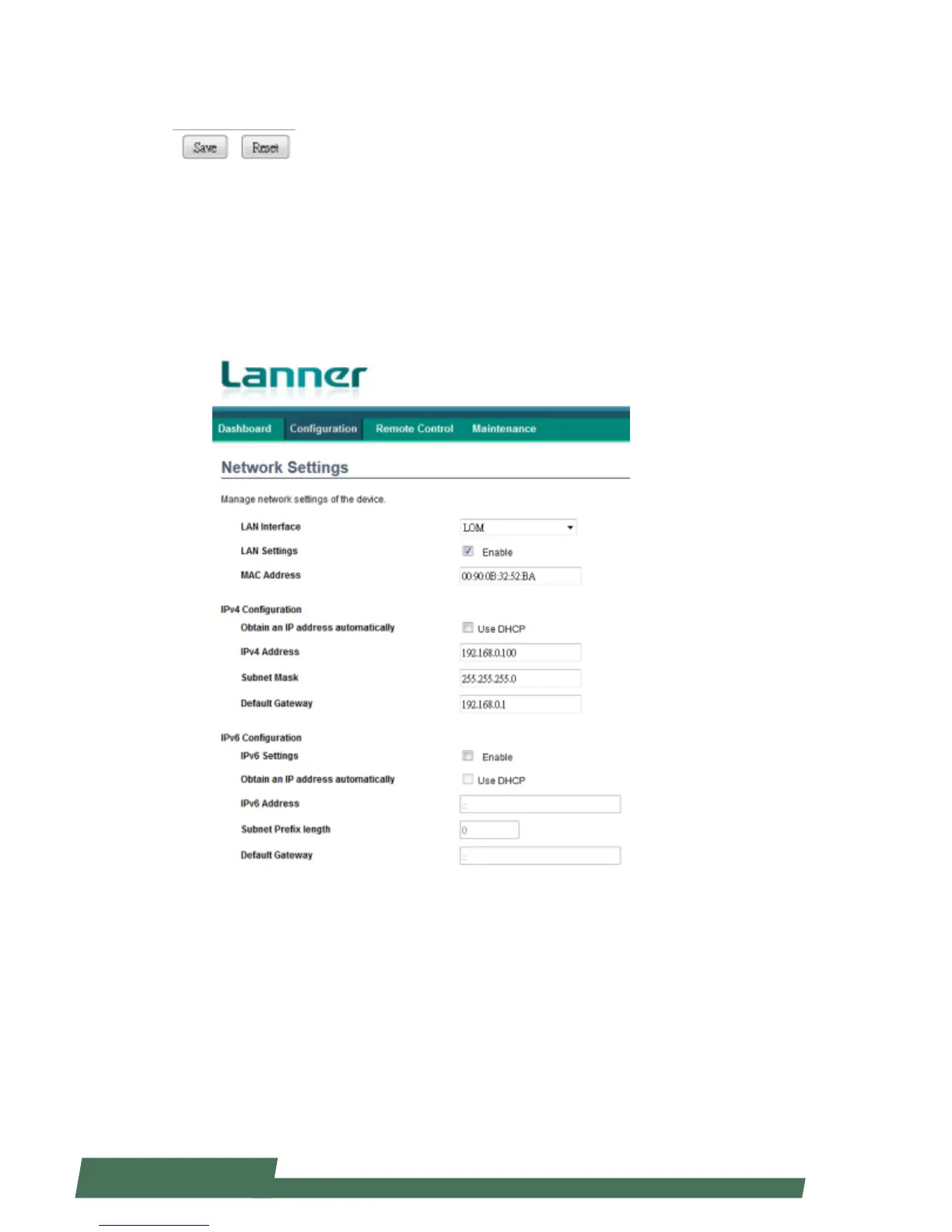
Network Settings
Click on “Network Settings” under “Configuration” to manage network settings of the remote device.
LAN Interface: configure the LAN interface
LAN Settings: click to enable the support of LAN settings
MAC Address: displays the MAC address of the device. This cannot be modified.
IPv4 Configuration
Obtain an IP address automatically: tick to enable the use of DHCP to automatically obtain an IP address
IPv4 Address: enter the IP address for IPv4 network if DHCP is not enabled
Subnet Mask: enter the “Subnet Mask” if DHCP is not enabled
Default Gateway: enter the “Default Gateway” address if DHCP is not enabled



 To Next Page