91
www.lannerinc.com
NTP Settings
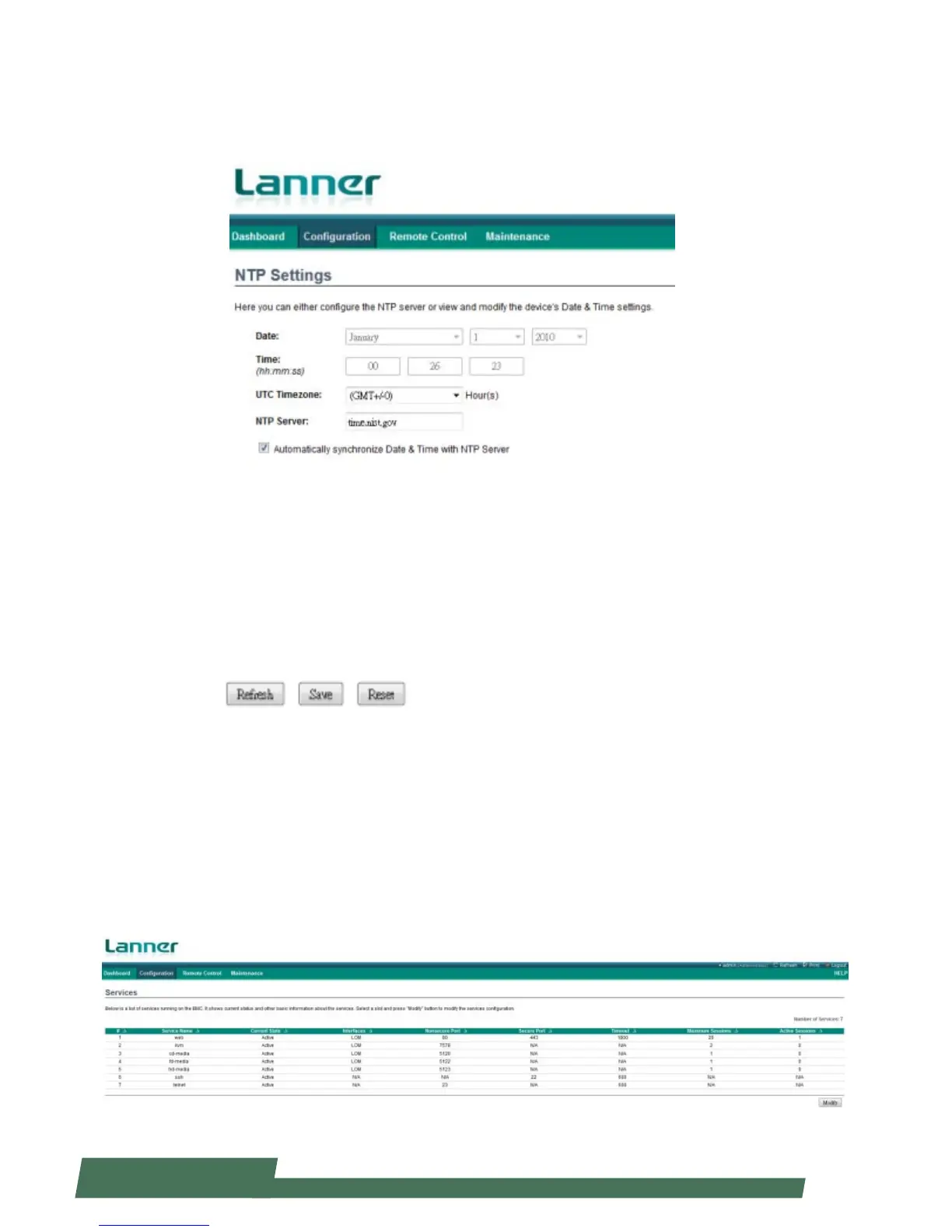
Click “NTP Settings” under “Configuration” to either configure the NTP server or view and modify the device’s date and
time.
Date: configure the device’s date setting
Time: configure the device’s time setting in hour/minute/second format
UTC Timezone: configure the device’s current time zone
NTP Server: configure the NTP (Network Time Protocol) server
You may tick on “Automatically synchronize Data & Time with NTP Server” so that the time and data information will
be automatically updated once a NTP server is configured.
Refresh: click it to refresh NTP information
Save: save the configuration changes
Reset: reset the NTP setting
Services
Click “Service” under “Configuration” to view and modify the list of services under BMC. The table presents current
status of available services. You may click “Modify” at the bottom right to modify the information.



 To Next Page