EasyManua.ls Logo

Laser 128 - Page 23

Laser 128
255 pages
Print Icon
To Next Page IconTo Next Page
To Previous Page IconTo Previous Page
Loading...
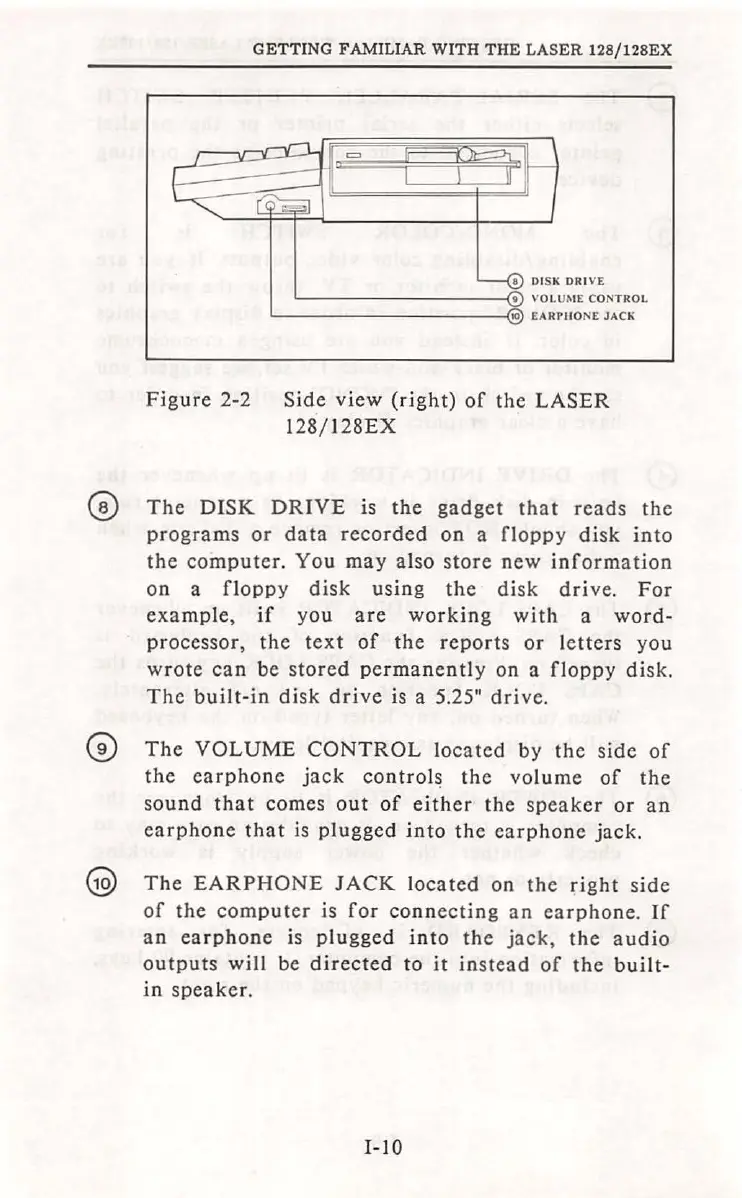
GETTING
FAMILIAR
WITH
THE
LASER
128/128EX
I
DI
SK
DRI
VE
'----
---
----(9
V
OL
U
ME
CON
TROL
'------------{1
t0
EA
RPHO
NE
JACK
Figure
2-2
Side
view
(right)
of
the
LASER
128/128EX
@
The
DISK
DRIVE
is
the
gadget
that
reads
the
programs
or
data
recorded
on
a
floppy
disk
into
the
computer.
You
may
also
store
new
information
on
a
floppy
disk
using
the
disk
drive.
For
example,
if
you
are
working
with
a
word-
processor,
the
text
of
the
reports
or
letters
you
wrote
can
be
stored
permanently
on
a
floppy
disk.
The
built-in
disk
drive
is a 5.25"
drive
.
G)
The
VOLUME
CONTROL
located
by
the
side
of
the
earphone
jack
controls
the
volume
of
the
sou
nd
that
comes
out
of
either
the
speaker
or
an
earphone
that
is
plugged
into
the
earphone
jack.
@
The
EARPHONE
JACK
located
on
the
right
side
of
the
computer
is
for
connecting
an
earphone.
If
an
earphone
is
plugged
into
the
jack,
the
audio
outputs
will
be
directed
to
it
in
stead
of
the
built-
in
speaker.
I-
IO

Table of Contents