EasyManua.ls Logo

Laser 128 - Page 41

Laser 128
255 pages
Print Icon
To Next Page IconTo Next Page
To Previous Page IconTo Previous Page
Loading...
THE
KEYBOARD
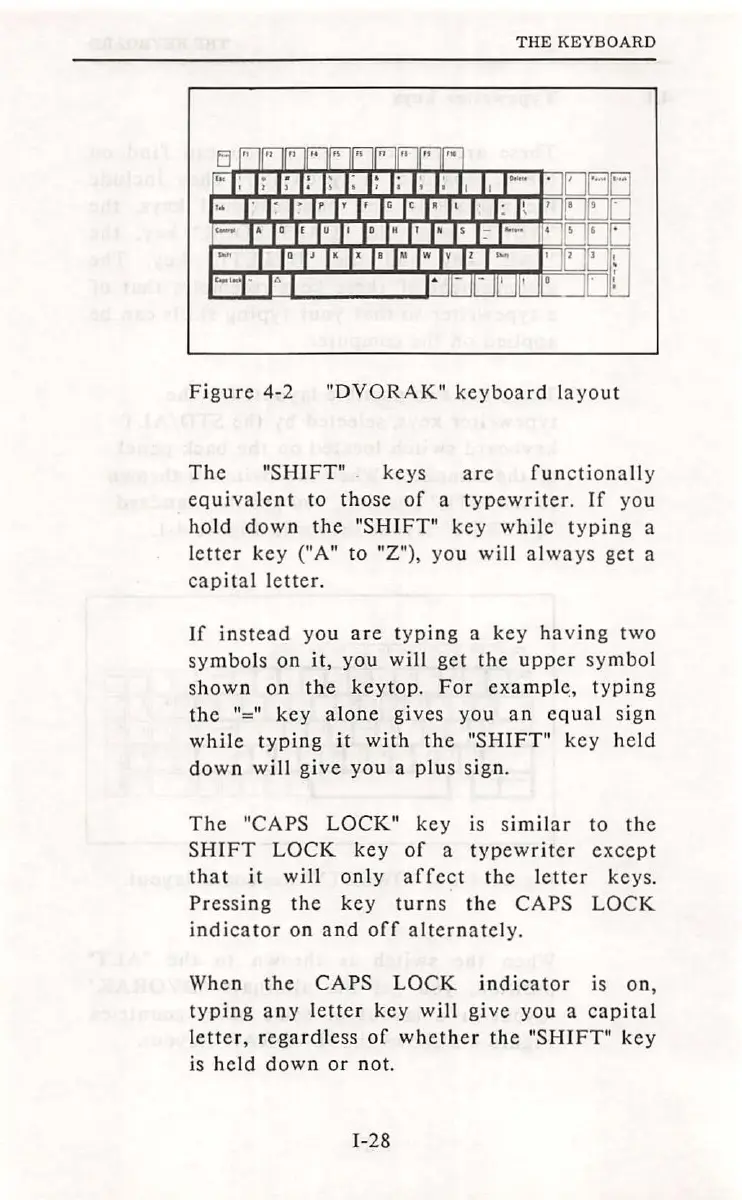
Fig
ur
e 4-2
"DVORAK"
keyboard
l
ayout
The
"SHIFT"
.
keys
are
function
ally
eq
ui
valent
to
tho
se
of
a t
ypewriter.
If
you
hold
down
the
"SHIFT"
key
whi
le
typing
a
l
etter
key
("A"
to
"Z"),
you
will
al
ways
get a
capital
letter.
If
in
stead
you
are
typing
a
ke
y
having
two
symbo
ls
on
it
,
you
will
get
the
upper
symbo
l
s
hown
on
the
keytop.
For
exampl~,
typ
in
g
the
"="
key
alone
gives
yo
u
an
eq
ual sign
while
typin
g
it
wi
th
the
"SHIFT"
key
he
ld
down
will
gi
ve
you
a
plus
sign.
The
"CAPS
LOCK"
key
is
similar
to
the
SHIFT
LOCK
key
of
a
typewriter
except
that
it
will
only
affect
the
lett
er
keys.
Pre
ss
ing
the
key
turn
s
the
CAPS
LOCK
indicator
on
a
nd
off
alterna
tel
y.
When
the
CAPS
LOCK
indi
cato
r is
on,
t
yping
any
letter
key
will
give
yo
u a
cap
i
ta
l
l
etter,
rega
rdle
ss
of
whether
the
"SHIFT"
key
is
held
down
or
not.
1-28

Table of Contents