VIDEO SETTINGS ▸ VIDEO STYLE
147
VIDEO PROFILES
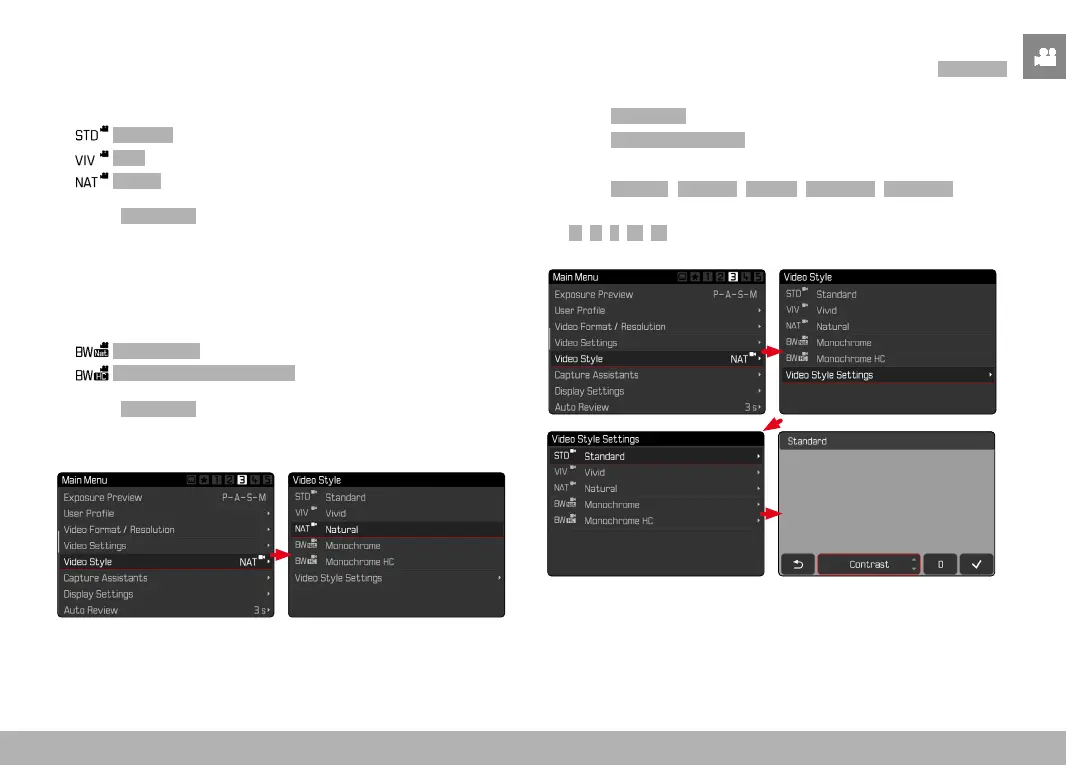
COLOR PROFILE
3 pre-configured color profiles are available:
–
Standard
– Vivid
– Natural
▸ Select Video Style in the main menu
▸ Select a profile
MONOCHROME PROFILE
There are two additional profiles available for monochrome video
recordings:
–
Monochrome
– Monochrome High Contrast
▸ Select Video Style in the main menu
▸ Select a profile
CUSTOMIZING VIDEO PROFILES
These parameters can be adjusted for all available profiles
(Saturation
only for color profiles). See p. 52 for details on menu operation.
▸ Select
Video Style in the main menu
▸ Select
Video Style Settings
▸ Select a profile
▸ Select
Contrast/Highlight/Shadow/Sharpness/Saturation
▸ Select the desired level
(
-2, -1, 0, +1, +2)



 To Next Page