CAMERA BASIC SETTINGS ▸ LCD PANEL/VIEWFINDER SETTINGS
64
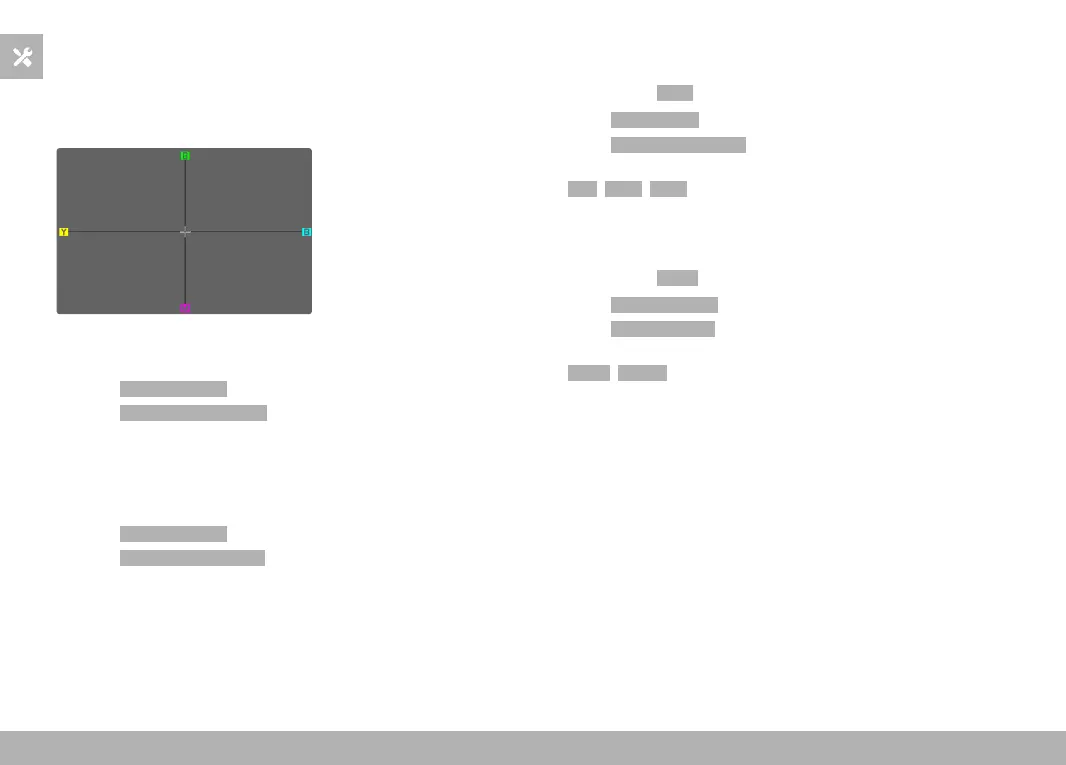
COLOR RENDERING
Color rendering can also be adjusted. Brightness is set individually
for the LCD panel and the viewfinder. Selection occurs via key con-
trol or touch control.
LCD PANEL
▸ Select
Display Settings in the main menu
▸ Select
LCD Color Adjustment
▸ Select the desired color setting
▸ Confirm selection
EVF
▸ Select
Display Settings in the main menu
▸ Select
EVF Color Adjustment
▸ Look through the viewfinder
▸ Select the desired color setting
▸ Confirm selection
AUTOMATIC LCD PANEL AND EVF SHUTDOWN
The LCD panel and EVF deactivate automatically to save power.
Factory setting:
1 min
▸ Select Power Saving in the main menu
▸ Select
All Displays Auto Off
▸ Select the desired setting
(30 s, 1 min, 5 min)
EVF FRAME RATE
The image frequency of the EVF can be set.
Factory setting:
60 fps
▸ Select Display Settings in the main menu
▸ Select
EVF Frame Rate
▸ Select the desired setting
(60 fps, 120 fps)



 To Next Page