PREPARATION ▸ INSERTING/REMOVING THE BATTERY
32
INSERTING/REMOVING THE BATTERY
▸ Ensure that the camera is switched OFF (see p. 36)
INSERTION
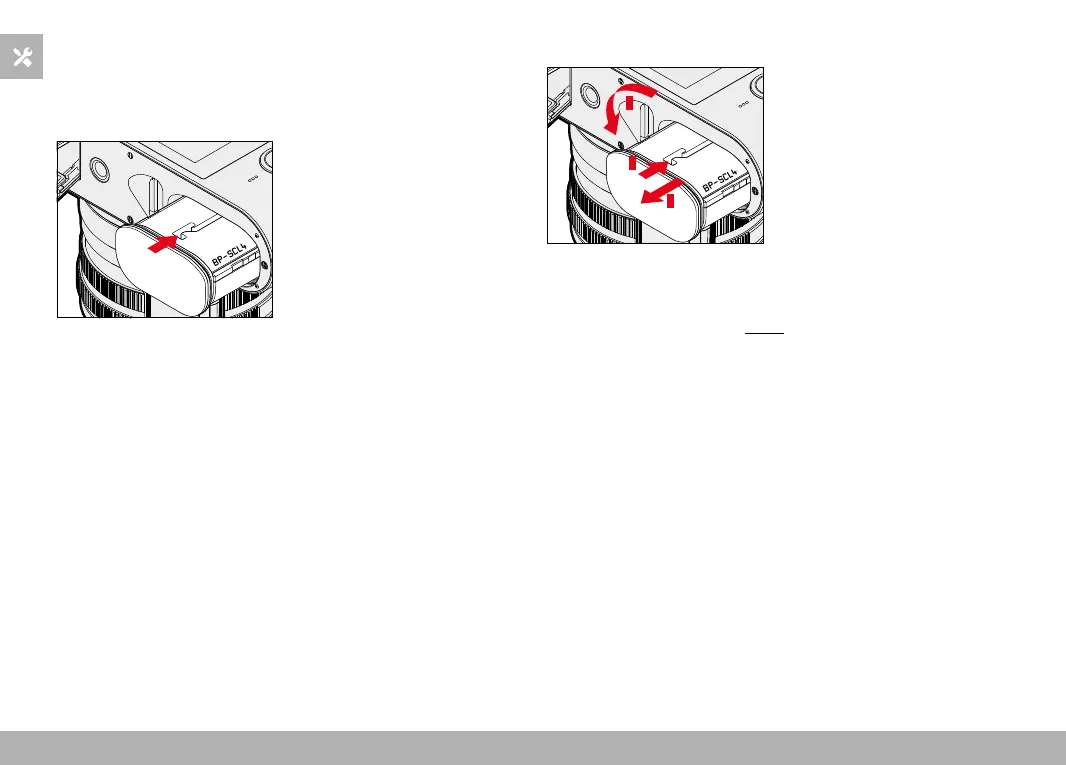
▸ Insert the battery into the slot with the groove pointing towards
the LCD panel and gently push until you hear and feel it clicking
into place
REMOVAL
1
2
3
▸ Turn the battery release lever
• Battery is pushing out slightly.
▸ Press down on the battery lightly
• The battery unlocks and pushes out fully.
▸ Remove the battery
Important
• Removing the battery while the camera is switched on may result
in the loss of custom settings or damage to the memory card.



 To Next Page