CAMERA OPERATION ▸ CONTROL ELEMENTS
41
LCD PANEL (TOUCH SCREEN)
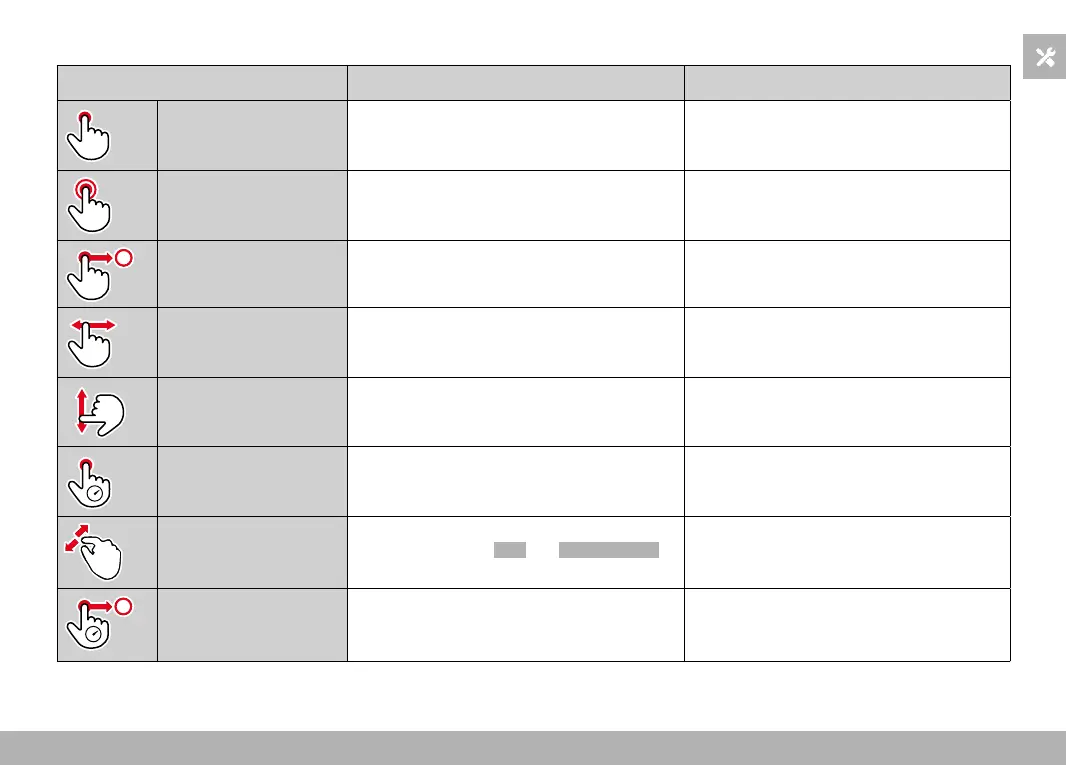
TOUCH CONTROL* In shooting mode In review mode
“tap” Shifting the AF metering field and focusing
(while Touch AF is activated)
Selecting shots
“double tap” Resetting the AF metering field Enlarging/reducing viewed pictures
“swipe” Scrolling through the gallery
Shifts the enlarged image section
“horizontal swipe”
(full length)
Mode change (photo/video) Scrolling through the gallery
“vertical swipe”
(full length)
Switching to review mode Switching to shooting mode
“tap and hold” Accessing the AF Quick Setting
“two-finger pinch”
“two-finger spread”
Changing the size of the AF metering field
(using the AF modes Field and Face Detection)
Enlarging/reducing viewed pictures
“swipe and hold”
“hold and swipe”
Continuous scrolling
* A light touch is enough, don't apply pressure.



 To Next Page