RECORDING VIDEO ▸ FOCUSING
166
AF QUICK SETTING
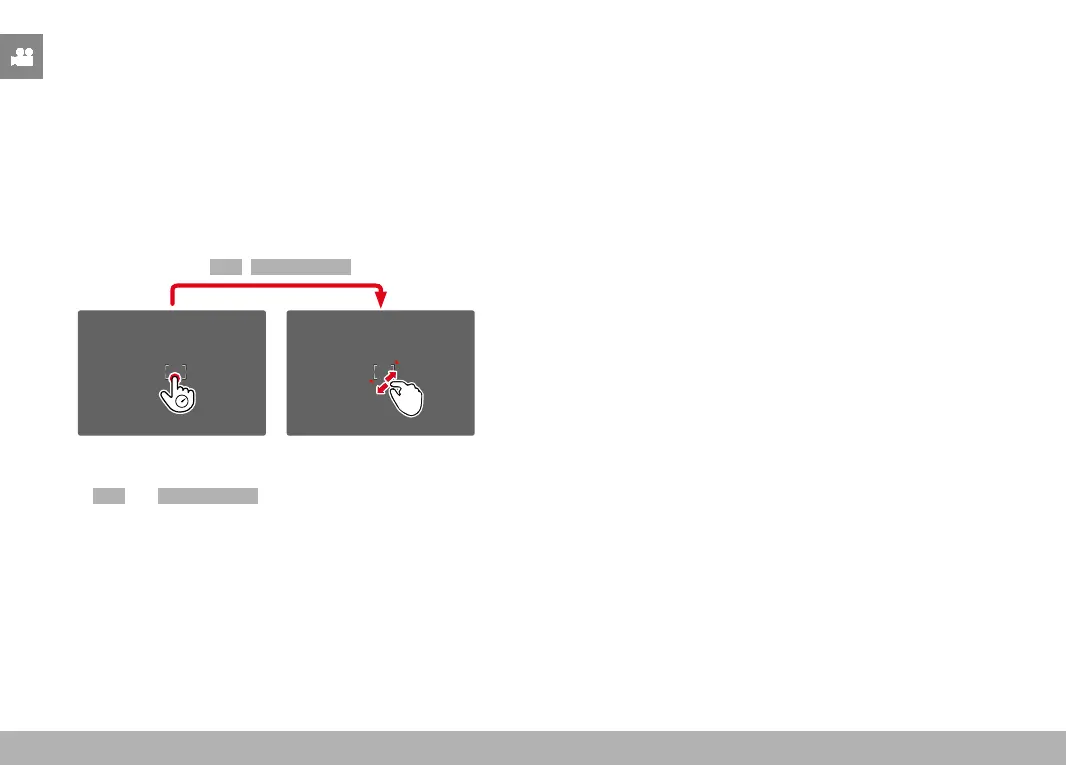
The AF Quick Setting allows quick changes to the metering field size
during field metering.
The screen image will remains visible continuously while settings are
being adjusted.
ACCESSING AF QUICK SETTING
▸ Tap and hold the LCD panel
• All auxiliary displays are hidden.
• Red triangles appear at two corners of the metering field if the
metering method
Field/Face Detection is set.
ADJUSTING THE METERING FIELD SIZE
(only Field and Face Detection)
▸ Turn the thumbwheel
or
▸ Two-finger pinch/spread
• The size of the AF-metering field is adjustable in 3 increments.
MF ASSIST FUNCTIONS
ENLARGEMENT IN AF MODE
Magnification is available before the start of a recording. In that
case, the behavior is the same as in Photo mode (see p. 87). This
function is unavailable while recording.
AF ASSIST LAMP
The AF assist lamp is not active in video mode.
ACOUSTIC AF CONFIRMATION
You can set an acoustic confirmation signal for successful focus
metering in AF mode (see p. 65). This function is unavailable while
recording.



 To Next Page