PREPARATION ▸ INSERTING/REMOVING THE MEMORY CARD
33
INSERTING/REMOVING THE MEMORY CARD
The camera will save exposures to an SD (Secure Digital), SDHC
(High Capacity) or SDXC (eXtended Capacity) memory card.
Notes
• SD/SDHC/SDXC memory cards are available from various sup-
pliers in a range of sizes and with differing read/write speeds.
Memory cards with high storage capacities and high read/write
speeds offer quick storage and rendering.
• The memory card may not be supported (capacity) or will have
to be formated in the camera before first use (see p. 71). The
camera will in that case display a relevant message. Please see
the section “Technical Data” for information about supported
cards.
• Check the memory card for correct alignment if you are having
difficulties inserting it into the camera.
• See p. 10 and p. 13 for additional information.
• Video shootings require a high write speed.
▸ Ensure that the camera is switched OFF (see p. 36)
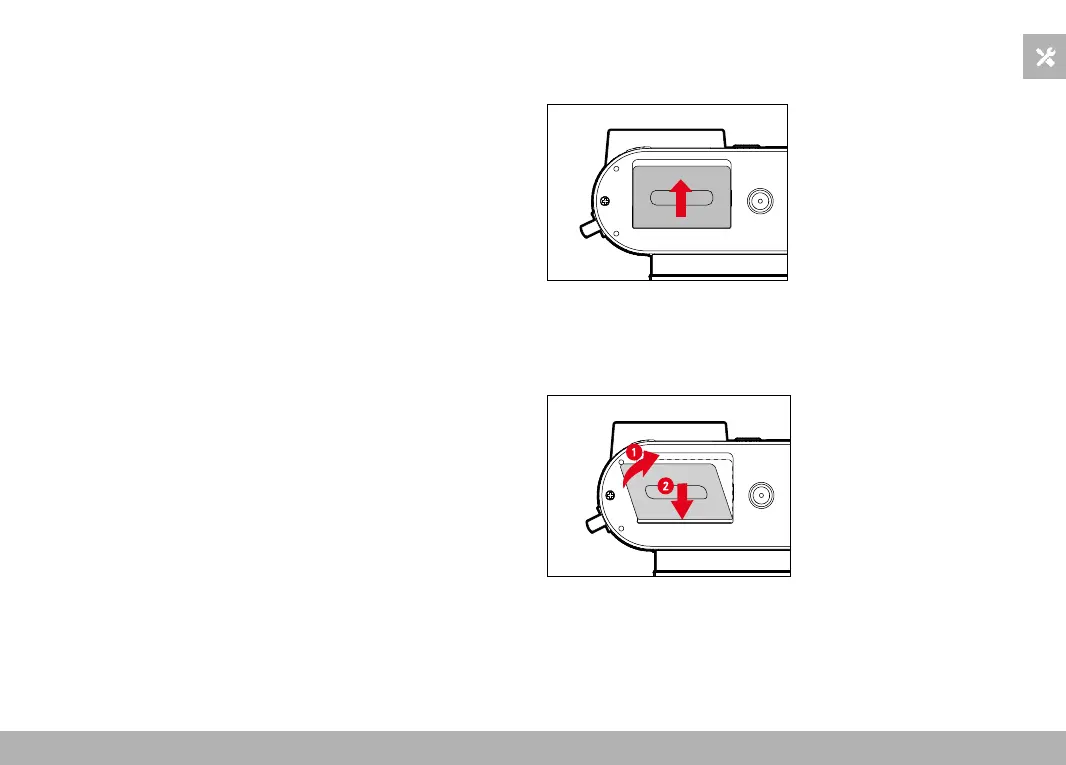
OPENING THE COVER OVER THE MEMORY CARD SLOT
▸ Slide the cover as shown in the illustration until you hear a click
• The cover lifts automatically.
CLOSING THE COVER OVER THE MEMORY CARD SLOT
▸ Close and hold down the cover
▸ Slide the cover as shown in the illustration until it audibly clicks
into place



 To Next Page