PHOTO SETTINGS ▸ DATA MANAGEMENT
71
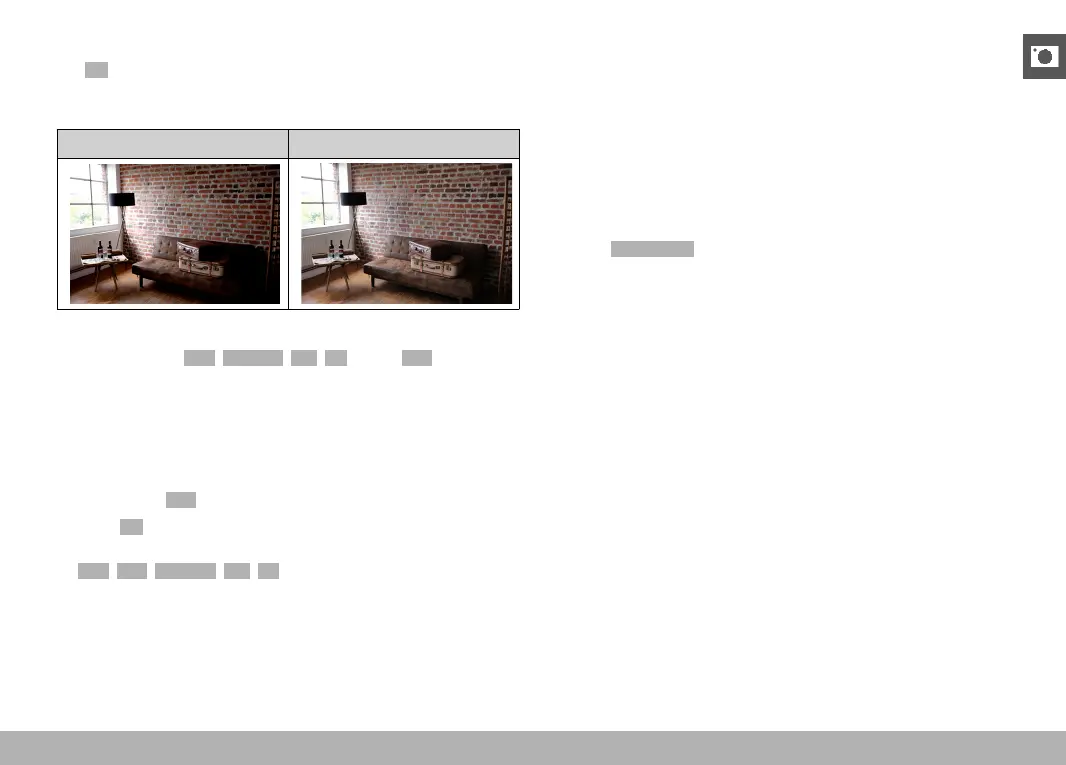
iDR FUNCTION
The
iDR (Intelligent Dynamic Range) function allows an optimization
of the darker areas. Object details become much clearer. This func-
tion will only affect shots in JPG format.
Without iDR With iDR
You can specify beforehand if and to what extent you want to opti-
mize darker areas (High, Standard, Low, Off). In the Auto setting, the
camera will automatically select the right setting depending on the
contrast range of the object. In addition to that setting, the effect
also depends on the exposure settings. The function will have the
strongest effect in combination with low ISO values and fast shutter
speeds. The effect is less pronounced with higher ISO values and/or
slower shutter speeds.
Factory setting:
Auto
▸ Select iDR in the main menu
▸ Select the desired setting
(
Auto, High, Standard, Low, Off)
Note
• The optimization of darker areas will slightly reduce differentiation
in very bright areas.
• This function will only affect shots in JPG format.
DATA MANAGEMENT
FORMATTING A MEMORY CARD
Memory cards that have already been in use with this camera will
usually not require formatting. An unformatted memory card that
is inserted into the camera for the first time must be formatted. We
recommend formatting memory cards from time to time, because
residual data traces (data pertaining to individual pictures) may re-
duce the card’s memory capacity.
▸ Select
Format Card in the main menu
▸ Confirm the selection
• The status LED will flash during the process.



 To Next Page