PHOTOGRAPHY ▸ FOCUSING
89
MF ASSIST FUNCTIONS
The following assist functions are available in MF mode.
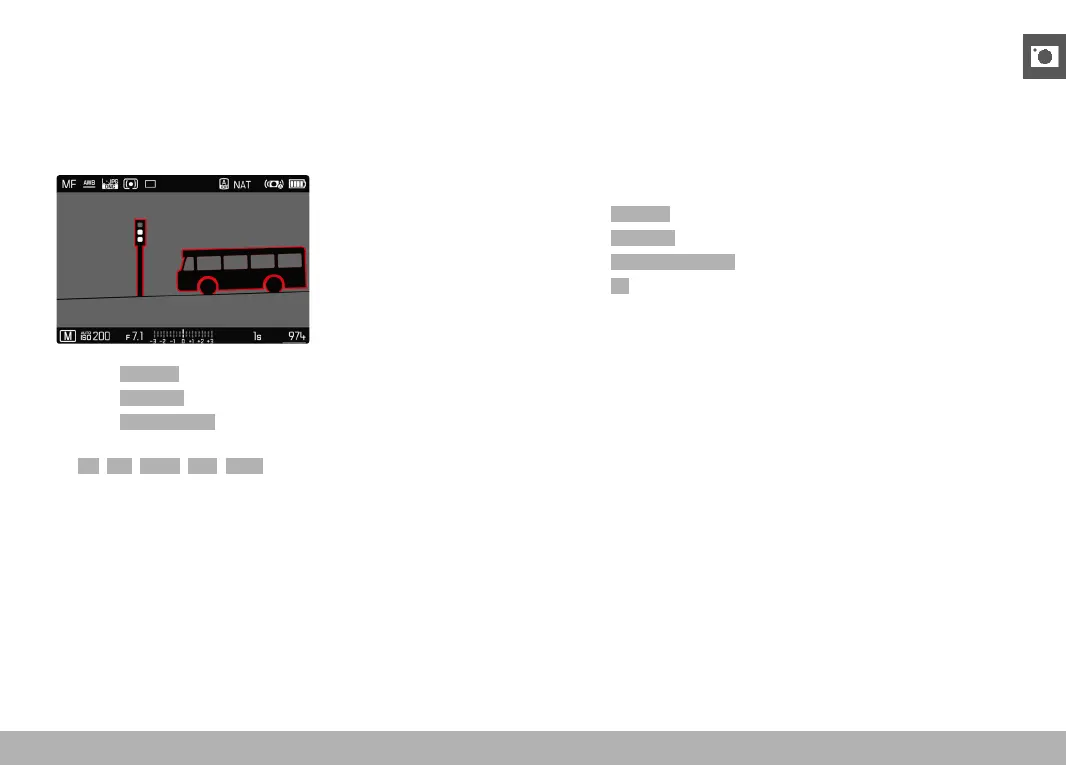
FOCUS PEAKING
This assist function highlights the edges of in focus subject elements
in color. The color can be user-specified.
▸ Select Focusing in the main menu
▸ Select
Focus Aid
▸ Select Focus Peaking
▸ Select the desired setting
(Off, Red, Green, Blue, White)
▸ Select an image section
▸ Turn the focus ring to mark the desired subject elements
Note
• Focus peaking is based on subject contrast, i.e. differences be-
tween light and dark. As a result, high contrast subject elements
could be marked, even if they are not completely in focus.
ENLARGEMENT IN MF MODE
The larger the details of the subject are shown, the better you can
assess their sharpness and the more accurately you can focus.
This function can be automatically activated during manual focusing
or can be accessed independently.
ACCESS VIA THE FOCUS RING
Turning the focus ring will automatically enlarge a image section.
▸ Select
Focusing in the main menu
▸ Select
Focus Aid
▸ Select Auto Magnification
▸ Select On
▸ Turn the focus ring
• An enlarged image section appears. The position of the enlarge-
ment depends on the position of the AF metering field.
• The rectangle within the frame at the top right represents the
current magnification, as well as its position in the displayed
cropped section.



 To Next Page