CAMERA OPERATION ▸ MENU CONTROL
44
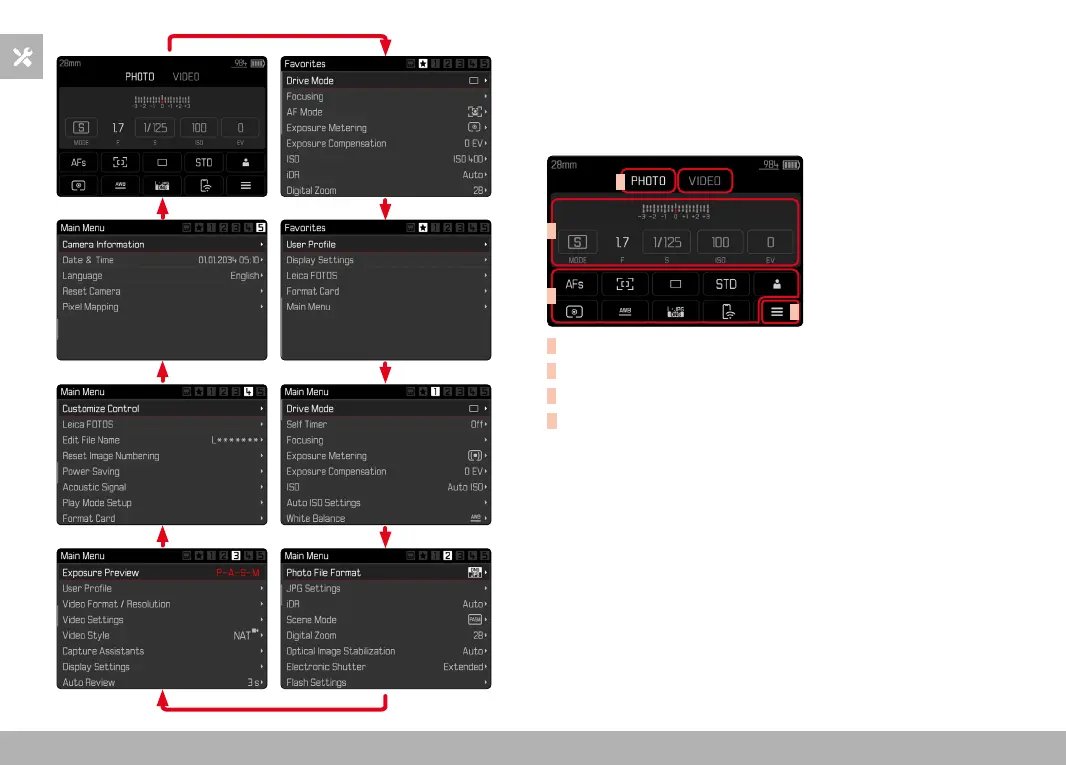
STATUS SCREEN
The status screen offers an overview of the most important informa-
tion regarding the current camera status and active settings.
It furthermore allows direct access to important settings. The status
screen is optimized for touch control.
A
B
C
D
A
Mode: photo/video (see p. 160)
B
Exposure settings (see p. 95 and p. 173)
C
Menu items
D
Access to the main menu



 To Next Page