CAMERA OPERATION ▸ USER-DEFINED OPERATION
56
STATIC DIRECT ACCESS
The two following operating elements can only be assigned one of
the preset functions via menu control. A custom list is not available.
– Zoom/Lock button
– Thumbwheel
ZOOM/LOCK BUTTON
Factory setting:
Digital Zoom
Alternatively, you can assign automatic exposure metering and/or
metering memory lock to the Zoom/Lock button.
▸ Select
Customize Control in the main menu
▸ Select
Zoom/Lock Button
▸ Select Digital Zoom, AF-L + AE-L, AE-L or AF-L
ACCESSING THE ASSIGNED MENU FUNCTION
▸ Press the Zoom/Lock button briefly
THUMBWHEEL
Factory setting:
Auto
You can assign the exposure compensation function to the thumb-
wheel permanently.
▸ Select
Customize Control in the main menu
▸ Select
Customize Wheel
▸ Select Exp. Comp.
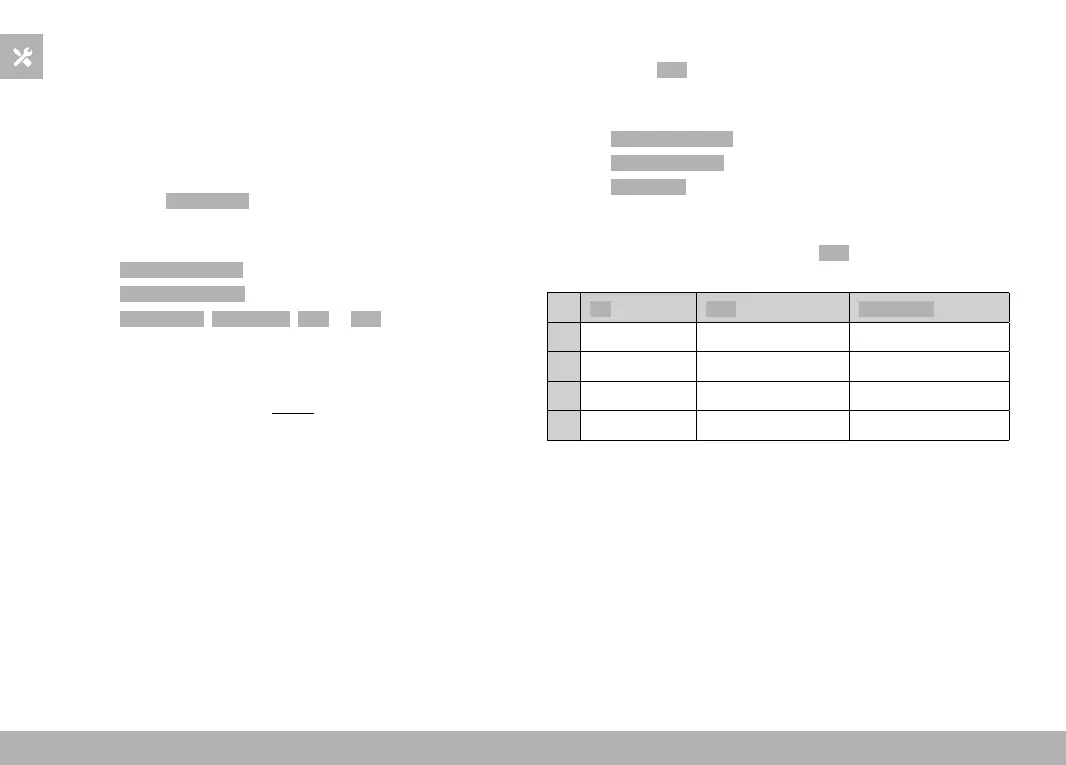
The thumbwheel has varying functions depending on the exposure
mode (see p. 95/p. 173) when it is set to Auto.
Off Auto Exp. Comp.
P
No function Program shift Exposure compensation
A
No function Exposure compensation Exposure compensation
S
No function Shutter speed Exposure compensation
M
No function Shutter speed Exposure compensation
ACCESSING THE ASSIGNED MENU FUNCTION
▸ Turn the thumbwheel to the left/right



 To Next Page