EasyManua.ls Logo

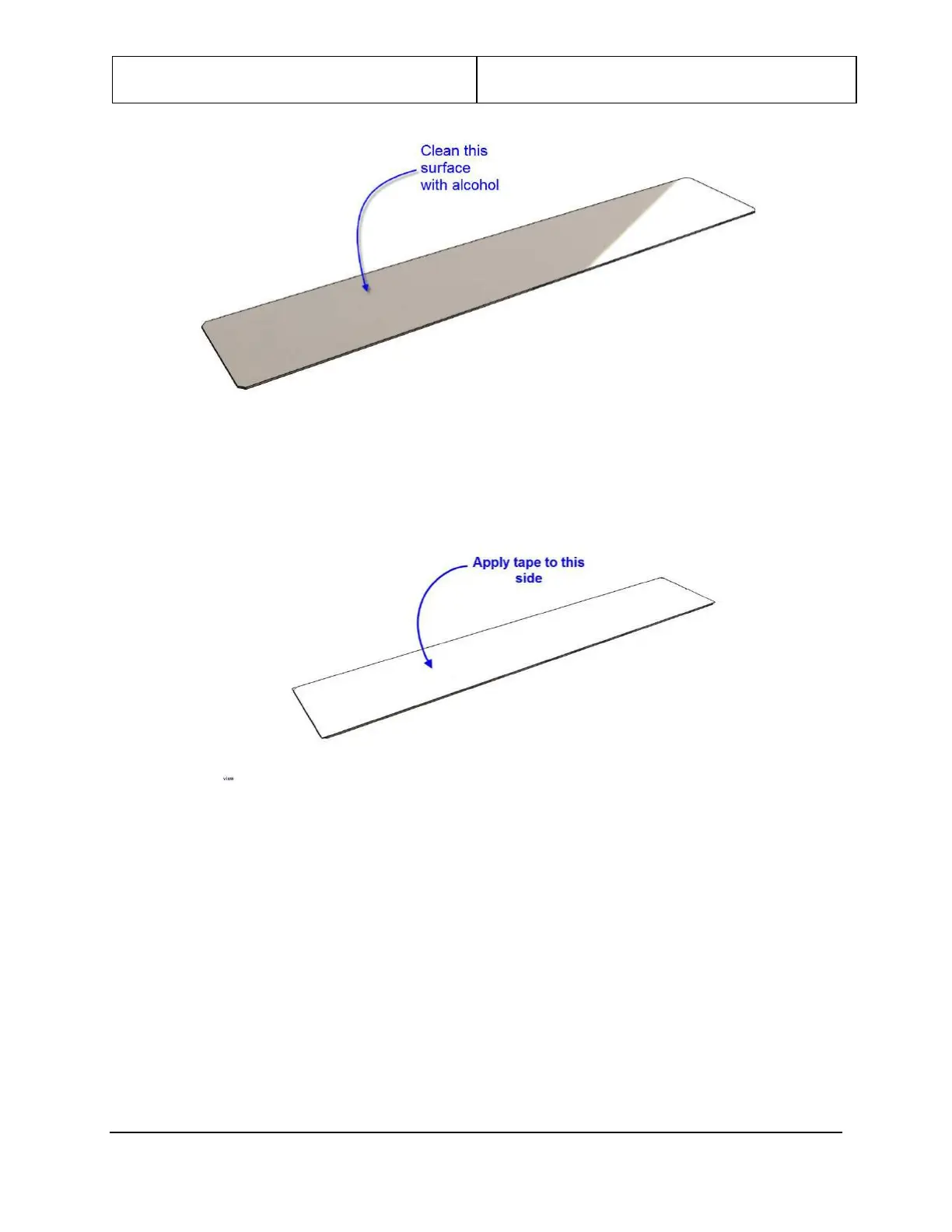
Leidos ProVision 3 - Figure 109: Clean Surface; Figure 110: Apply Tape Strip

Leidos ProVision 3
119 pages
Print Icon
To Next Page IconTo Next Page
To Previous Page IconTo Previous Page
Loading...
ProVision 3 Installation Manual
8100-35521-00
Rev. A0
Leidos Security Detection & Automation, Inc. Proprietary Page 100 of 119
© 2020 Leidos. All rights reserved
Figure 109: Clean Surface
7. Apply a strip of tape along the full length of the backing plate.
Figure 110: Apply Tape Strip
8. Peel the paper off of the tape.

Table of Contents