Leidos Security Detection & Automation, Inc. – Proprietary Page 87 of 119
© 2020 Leidos. All rights reserved
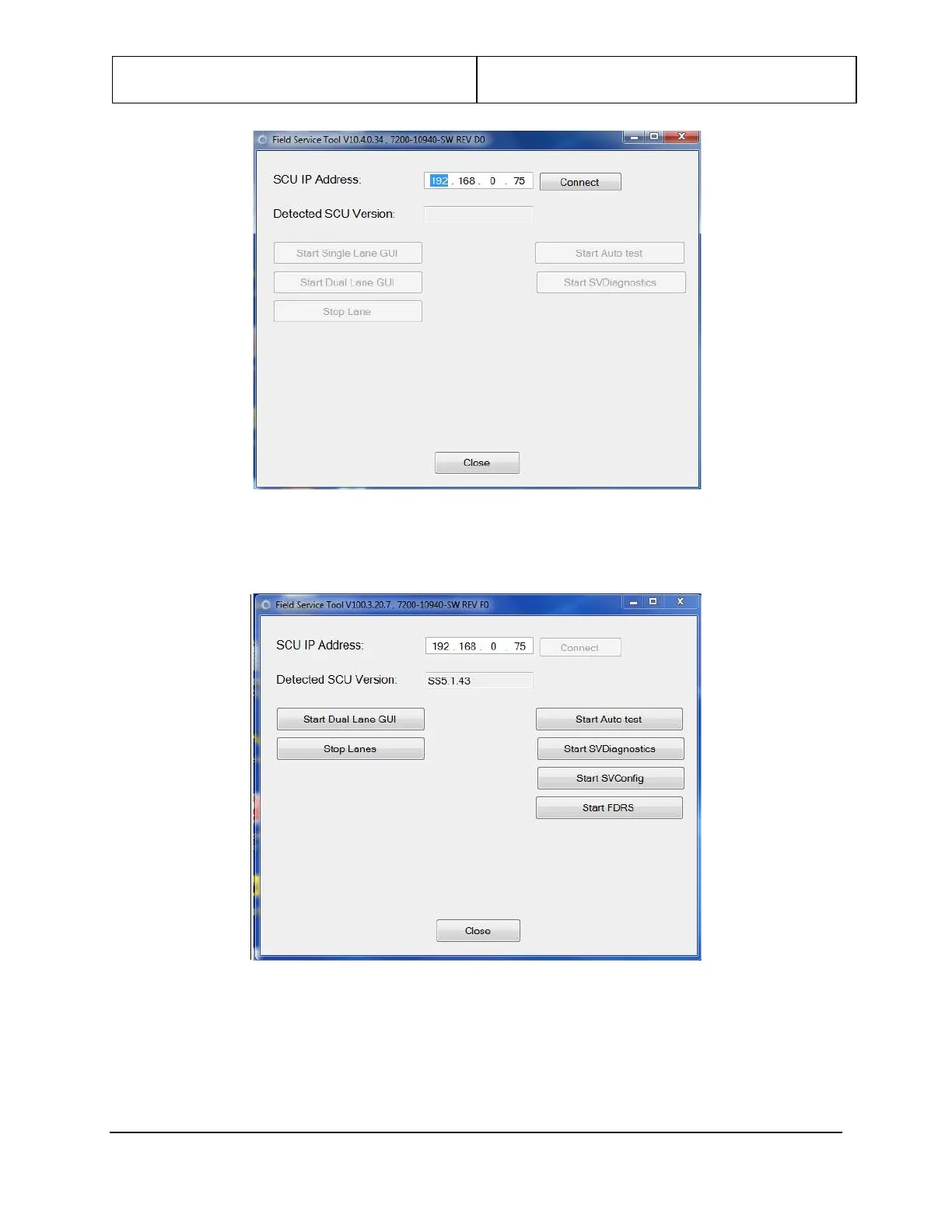
Figure 95: Field Service Tool Connect Page
5. Click the Connect button at upper right to activate the testing and diagnostics features.
Figure 96: Field Service Tool Testing, Diagnostics
6. Click Start SVDiagnostics on the right side of the Field Service Tool window.
7. Click on Calibration to open the Calibration window.


 To Next Page