Leidos Security Detection & Automation, Inc. – Proprietary Page 42 of 119
© 2020 Leidos. All rights reserved
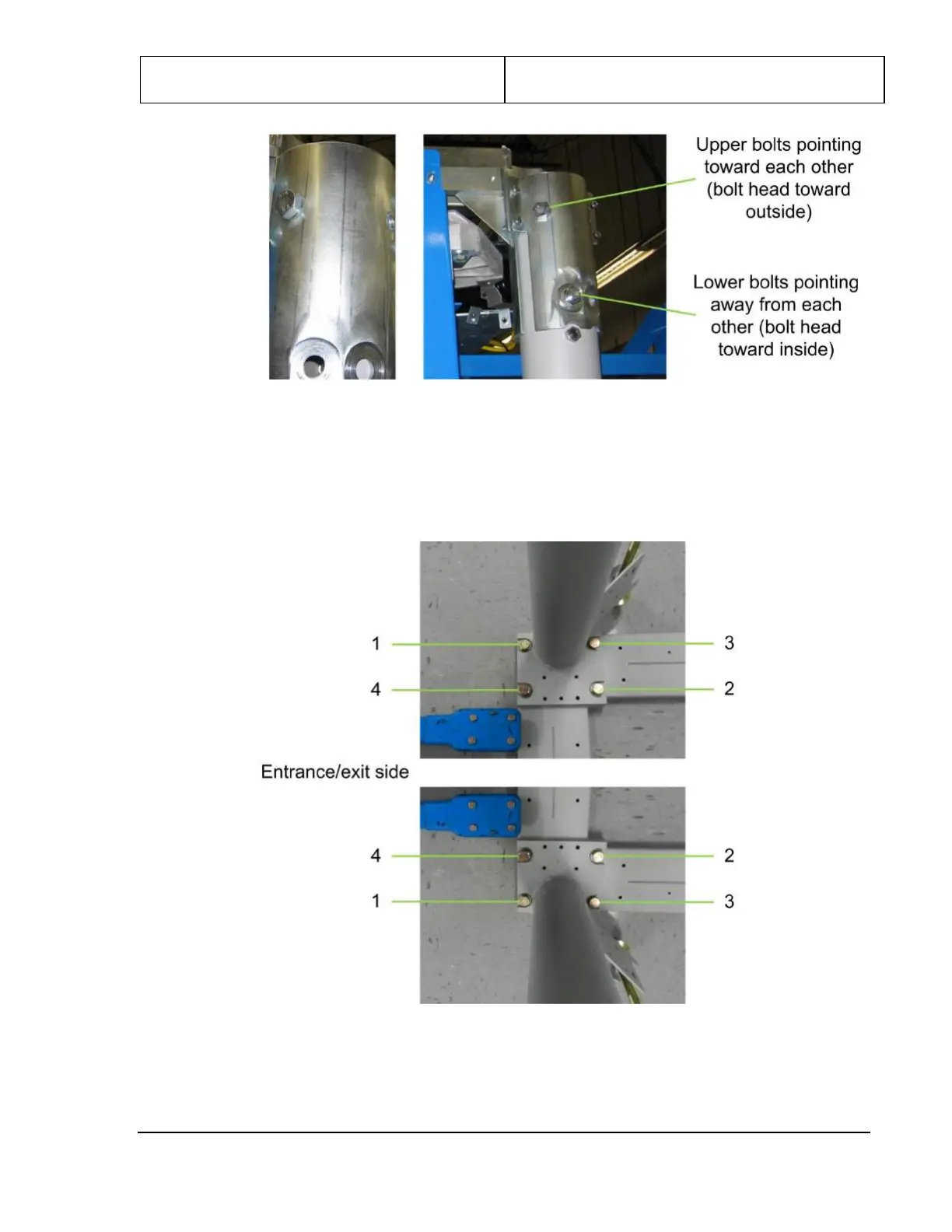
Figure 37: Column Bolt Direction
9. Using a 24mm socket, torque three of the column base bolts to 94.9 Nm (70.0 ft-lb) in the following
order: first 1, then 2, then 3 (refer to the following figure). Leave bolt 4 (the bolt diagonally opposite
the leveling foot) loose.
Figure 38: Bolts 1–3 Torqued on Left (Top) and Right (Bottom) Columns
10. Loosen the shipping leg top bolts but do not remove them.


 To Next Page