Leidos Security Detection & Automation, Inc. – Proprietary Page 43 of 119
© 2020 Leidos. All rights reserved
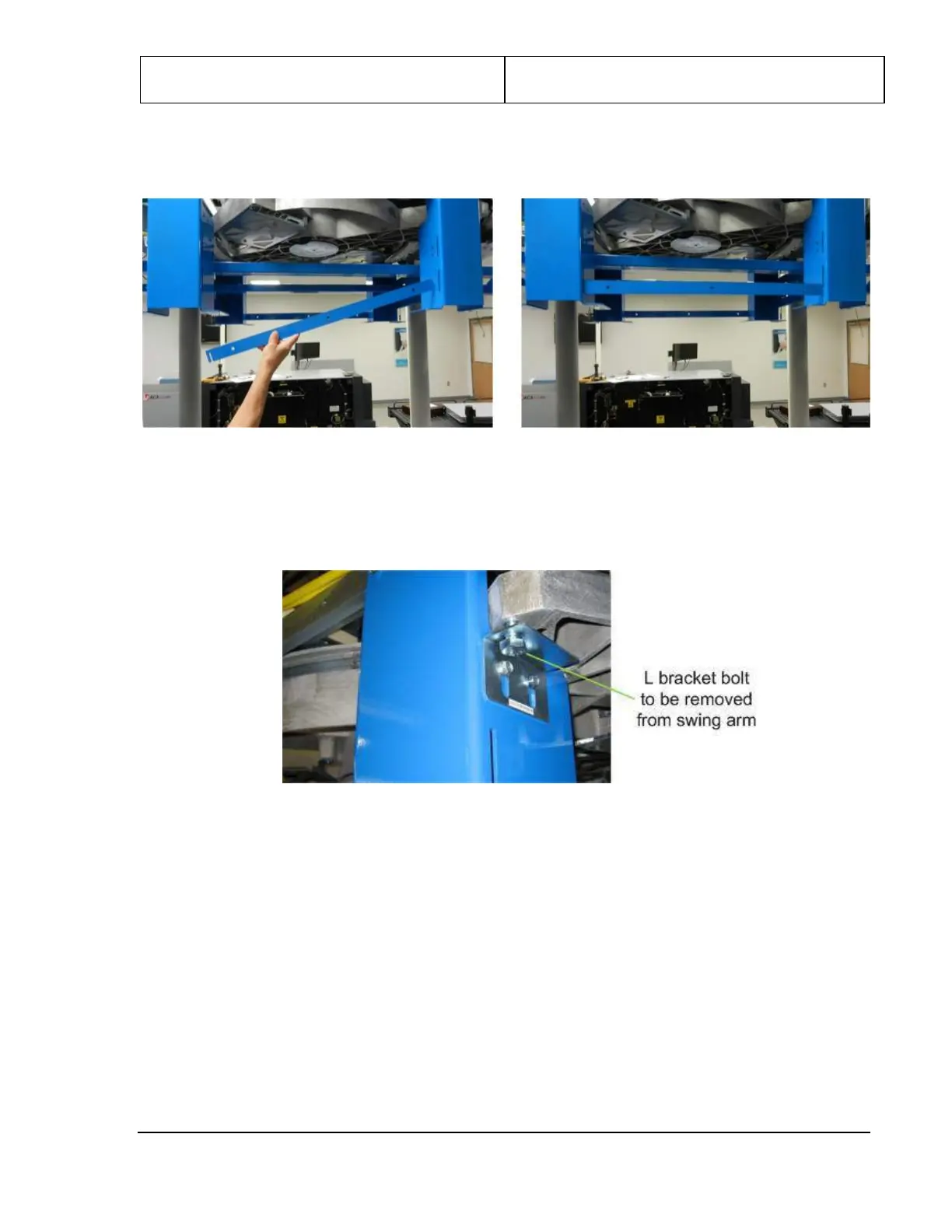
11. Retrieve the two cross braces from the installation kit and attach each between the shipping legs on
either side of the assembly, as shown in the following figures.
Figure 39: Cross Braces Between Shipping Legs
12. Remove the bolt through each of two L brackets that is screwed vertically into the end of the swing
arm, as shown in the following figure.
Figure 40: Bolt Through L Bracket into Swing Arm
13. Remove the shipping leg top bolts.



 To Next Page