5.4008.8573.0 B
Operating Instructions 5-19
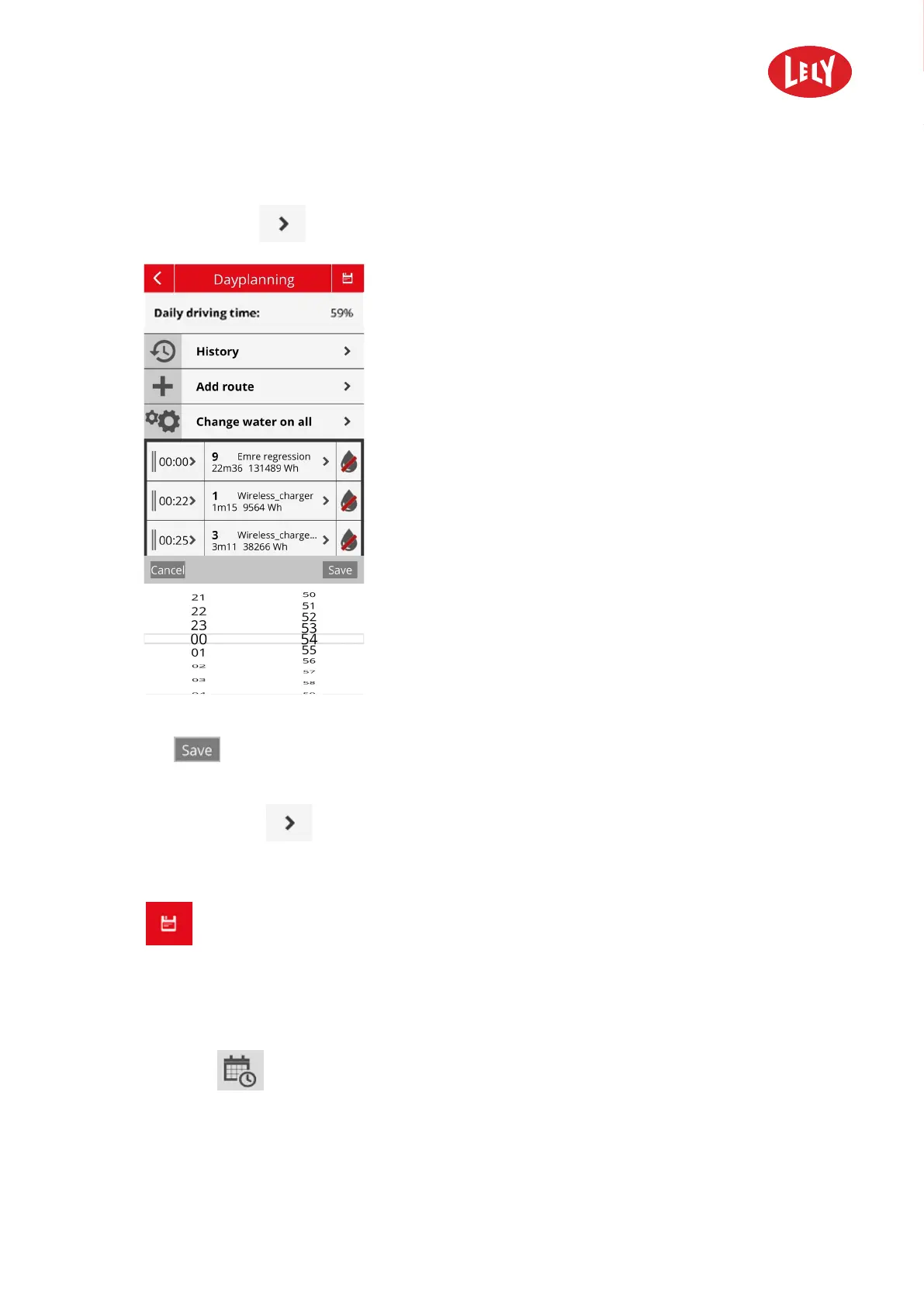
6. Change the start time of this route:
1. Tap on the time
The following screen appears:
2. Change the starting time by scrolling the time wheels for hours and minutes.
3. Tap
to save the modified time.
7. Replace the route:
1. Tap on the route
you want to replace.
A list of all available routes appears.
2. Tap on the route you want to change it to.
8. Tap
to save the day planning.
9. Put the machine into operation to start cleaning the barn according to the day planning.
Replace a Route in the Day Planning by Another Route
1. Connect the Lely Control Plus app to the machine.
2. Tap the menu
Dayplanning.
3. In the day planning, find the route you want to replace.
in novators in agriculture



 To Next Page