WhenworkingwiththeLSISoftwareRAIDConfigurationUtilityprogram,youmustusethekeyboard.
Thekeysusedtoperformvarioustasksaredisplayedonthebottomofeachscreen.Useupanddown
arrowkeystonavigatebetweenitems.Formostitems,thecorrespondinghelpmessageisdisplayed
onthebottomofthescreenwhentheitemisselected.Iftheitemhassubmenus,youcandisplaythe
submenusbypressingEnter.
AfterenteringtheLSISoftwareRAIDConfigurationUtilityprogram,youcanseetheManagementMenuon
thescreen.TheManagementMenucontainsthefollowingmenuitems:
•Configure
ThismenucontainsitemstohelpyoucreateaRAIDarray,viewthecurrentRAIDconfiguration,addanew
RAIDarray,deleteanexistingRAIDarray,andselectabootvirtualdrive.
•Initialize
Thismenuhelpsyouinitializevirtualdrives.
Note:Initializingavirtualdriveerasesalldataonthevirtualdrive.Backupanydatayouwanttokeepand
ensurethattheoperatingsystemisnotinstalledonthevirtualdrivebeforetheinitialization.
•Objects
ThismenuhelpsyouconfigureparametersfortheRAIDcontroller,thevirtualdrives,andthephysical
drives.
•Rebuild
ThismenuhelpsyourebuildaphysicaldriveinaRAIDarrayintheeventofaphysicaldrivefailure.
Youcanchoosetorebuildthedataonthefailingdriveifthedriveisstilloperational.Ifthedriveisnot
operational,itmustbereplacedandthedataonthefailingdrivemustberebuiltonanewdriveto
restorethesystemtofaulttolerance.Ifhot-sparedrivesareavailable,thefailingdrivemightberebuilt
automaticallywithoutanyuserintervention.
•CheckConsistency
Thismenuhelpsyoudoconsistencycheckforthevirtualdrives.Theconsistencycheckverifiesthe
correctnessofthedataonvirtualdrivesthatuseRAID1,5,and10.
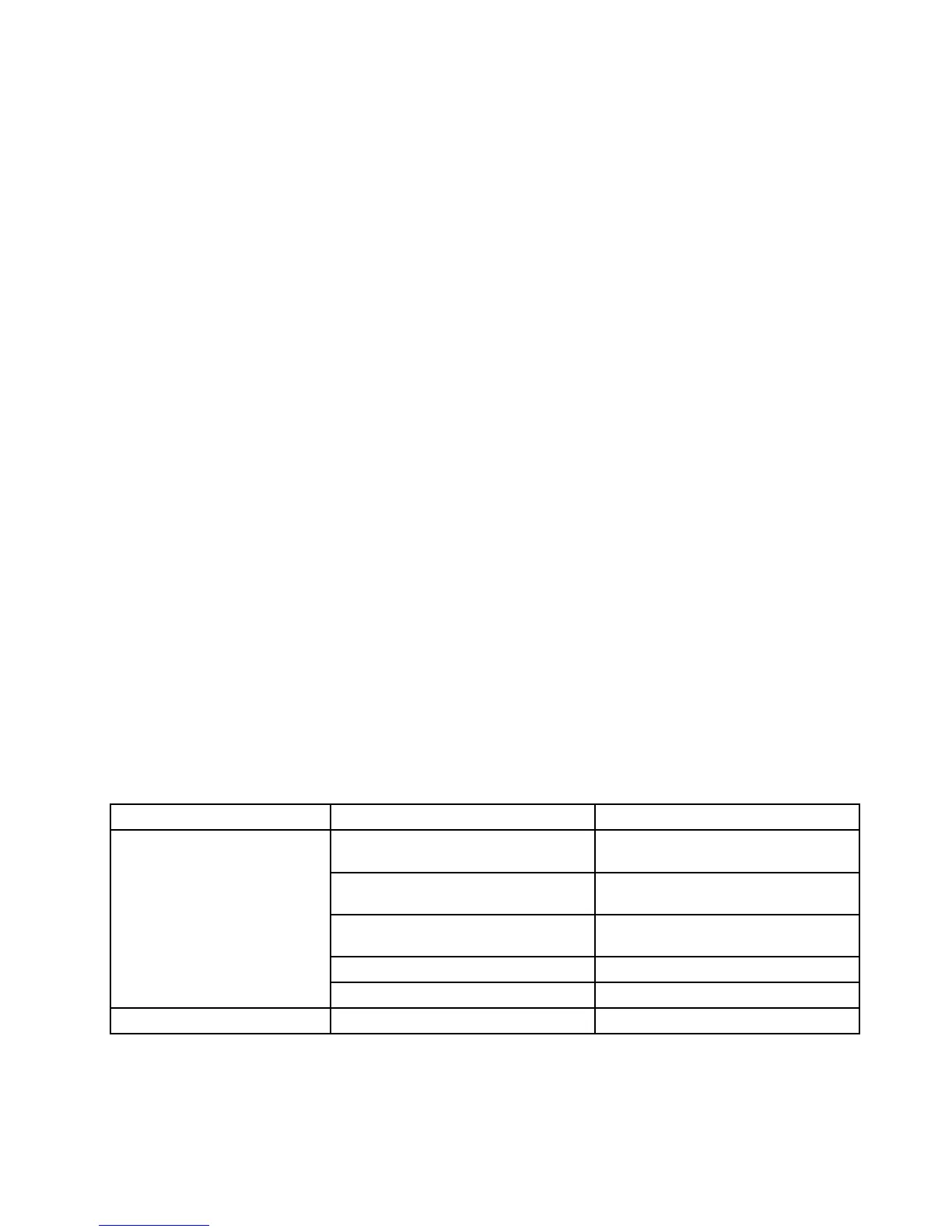
ThefollowingtableshowsthevariousmenusanditemsintheLSISoftwareRAIDConfigurationUtility
program.Oneachmenu,presstheEnterkeytoshowselectableoptionsandselectadesiredoptionby
usingupanddownarrowkeysortypedesiredvaluesfromthekeyboarddirectly.
Table4.LSISoftwareRAIDConfigurationUtilityprogrammenuitems
Menuitem
SubmenuitemComments
EasyConfigurationCreatephysicalarrays.Anarraywill
automaticallybecomeavirtualdrive.
NewConfigurationCleartheexistingconfigurationand
startanewconfiguration.
View/AddConfiguration
Viewtheexistingconfigurationoradda
newconfiguration.
ClearConfigurationCleartheexistingconfiguration.
Configure
SelectBootDriveSelectabootvirtualdrive.
Initialize
Variesbyconfiguration.
Initializevirtualdrives.
Chapter5.Configuringtheserver75







 To Next Page