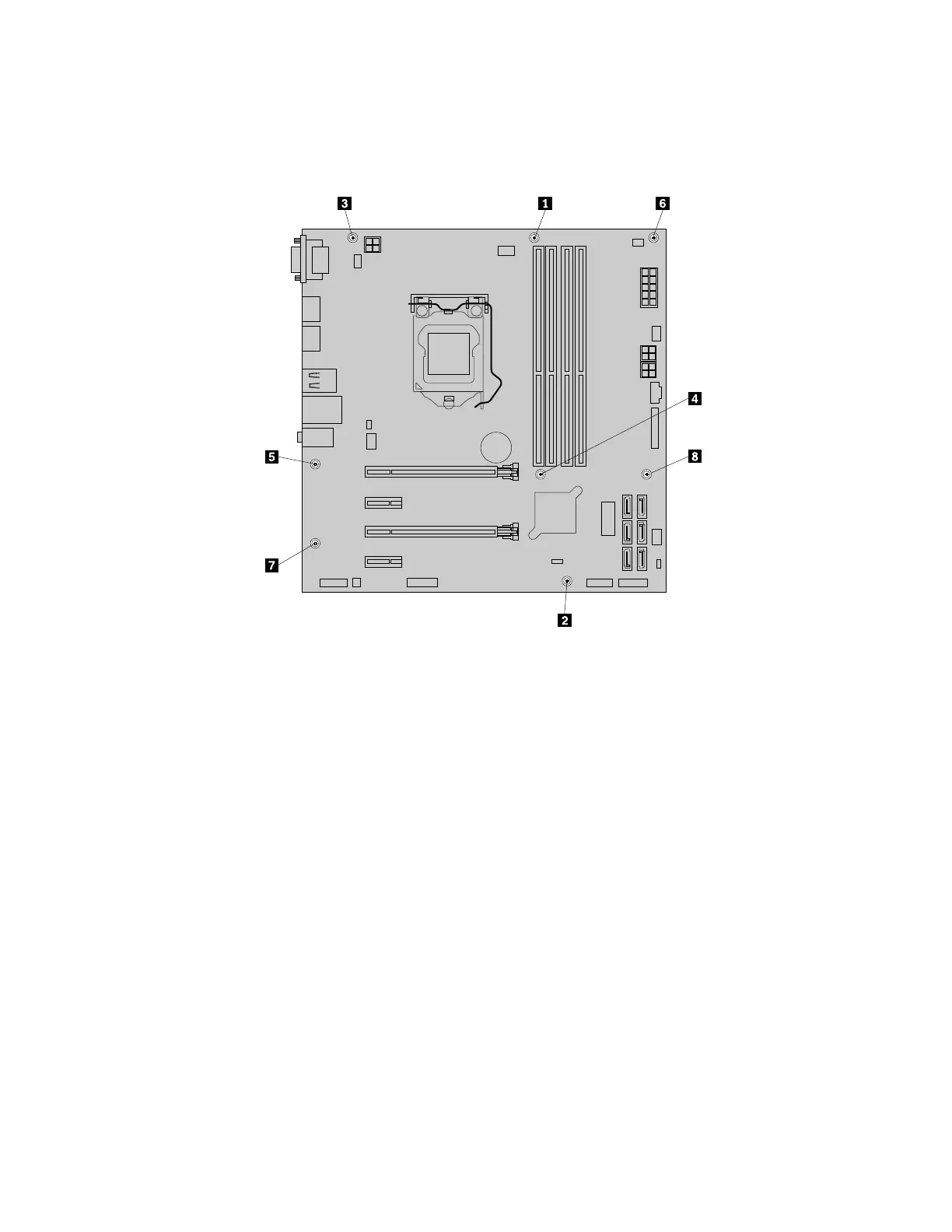
12.Installthenewsystemboardintothechassis.Aligntheeightscrewholesinthenewsystemboardwith
thecorrespondingmountingstudsonthechassis.Then,installtheeightscrewsinthesequenceas
showntosecurethenewsystemboard.
Figure35.Installingtheeightscrewstosecurethesystemboard
13.Installtheheatsinkandfanassemblyandconnectitscabletothenewsystemboard.See“Replacing
theheatsinkandfanassembly”onpage136.
14.InstallallmemorymodulesandPCIcardsremovedfromthefailingsystemboardontothenewsystem
board.See“Installingorreplacingamemorymodule”onpage97and“InstallingorreplacingaPCI
card”onpage99
.
15.Refertoyourrecordtoconnectcablestothenewsystemboard.Youalsocanreferto“Partsonthe
systemboard”onpage34tohelpyoulocatetheconnectorsonthesystemboardandconnectcables.
16.Tocompletetheinstallationorreplacement,goto“Completingthepartsreplacement”onpage166.
Thefailingsystemboardmustbereturnedwithamicroprocessorsocketcovertoprotectthepinsduring
shippingandhandling.
Toinstallthemicroprocessorsocketcover,dothefollowing:
1.Afteryouhaveremovedthemicroprocessorfromthefailingsystemboard,closethemicroprocessor
retainer.Thenputthesmallhandletothelockedpositiontosecuretheretainerinplace.
106ThinkStationP310HardwareMaintenanceManual













 To Next Page