11.ConnectthecardreadercabletoaUSB2.0connectoronthesystemboard.See“Partsonthe
systemboard”onpage34.
Whattodonext:
•Toworkwithanotherpieceofhardware,gototheappropriatesection.
•Tocompletetheinstallationorreplacement,goto“Completingthepartsreplacement”onpage166
.
Installingorreplacingamemorymodule
Attention:DonotopenyourcomputerorattemptanyrepairbeforereadingandunderstandingtheChapter
1“Readthisfirst:Importantsafetyinformation”onpage1.
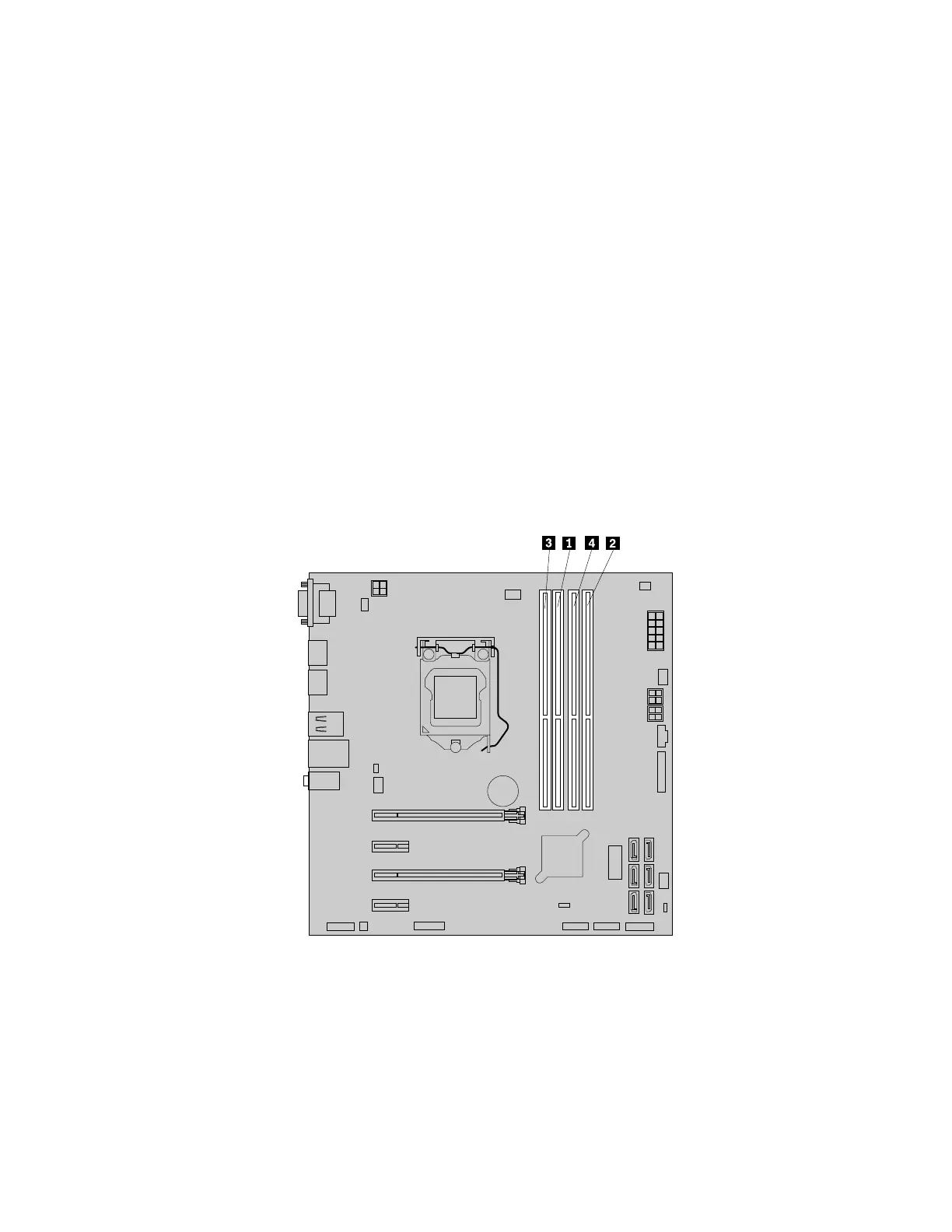
YourcomputerhasfourmemoryslotsforinstallingorreplacingDDR4UDIMMsthatprovideuptoa
maximumof64GBsystemmemory.
Wheninstallingorreplacingamemorymodule,use4GB,8GB,or16GBDDR4UDIMMsinanycombination
uptoamaximumof64GB.DonotmixanycombinationofECCUDIMMsandnon-ECCUDIMMsintothe
samecomputer.
Alwaysinstallthememorymodulesinthefollowingorderasshown,thenumbers1,2,3,and4indicatethe
installationsequence:
Figure22.Memorymoduleinstallationorder
Toinstallorreplaceamemorymodule,dothefollowing:
1.Removeallmediafromthedrivesandturnoffallattacheddevicesandthecomputer.Then,disconnect
allpowercordsfromelectricaloutletsanddisconnectallcablesthatareconnectedtothecomputer.
2.Removethecomputercover.See“Removingthecomputercover”onpage90.
3.Laythecomputeronitssideforeasieraccesstothesystemboard.
4.Locatethememoryslots.See“Partsonthesystemboard”onpage34.
Chapter9.Installingorreplacinghardware97













 To Next Page