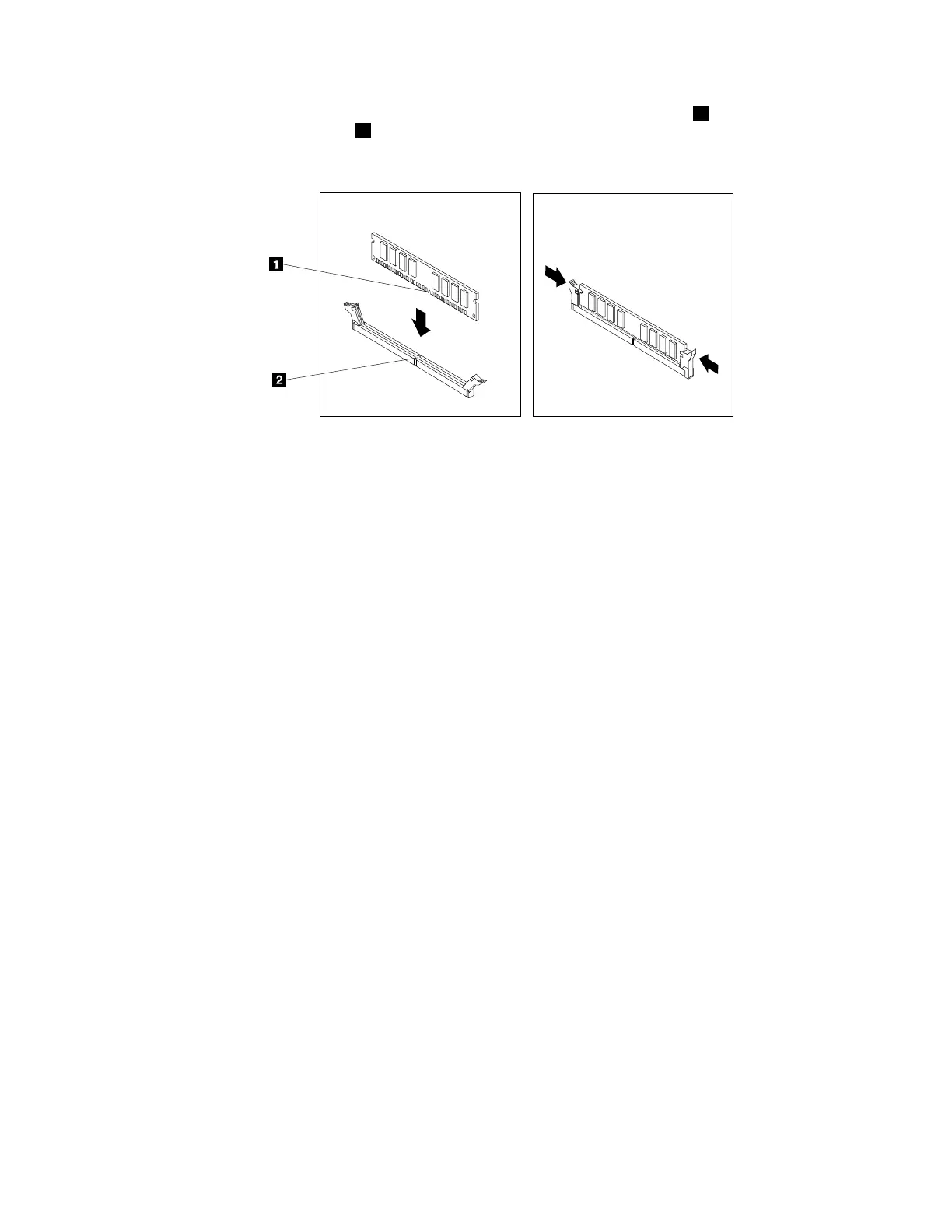
7.Positionthenewmemorymoduleoverthememoryslot.Ensurethatthenotch1onthememory
moduleisalignedwiththekey2intheslot.Pushthememorymodulestraightdownintotheslotuntil
theretainingclipscompletelyclose.
Figure25.Installingamemorymodule
8.ReinstallthePCIExpressx16graphicscardifyouhaveremovedit.
Whattodonext:
•Toworkwithanotherpieceofhardware,gototheappropriatesection.
•Tocompletetheinstallationorreplacement,goto“Completingthepartsreplacement”onpage166.
InstallingorreplacingaPCIcard
Attention:DonotopenyourcomputerorattemptanyrepairbeforereadingandunderstandingtheChapter
1“Readthisfirst:Importantsafetyinformation”onpage1.
YourcomputerhastwoPCIExpressx1cardslots,onePCIExpressx16cardslot(negotiablelinkwidthx4,
x1),andonePCIExpressx16graphicscardslot.
ToinstallorreplaceaPCIcard,dothefollowing:
1.Removeallmediafromthedrivesandturnoffallattacheddevicesandthecomputer.Then,disconnect
allpowercordsfromelectricaloutletsanddisconnectallcablesthatareconnectedtothecomputer.
2.Removethecomputercover.See“Removingthecomputercover”onpage90.
Chapter9.Installingorreplacinghardware99













 To Next Page