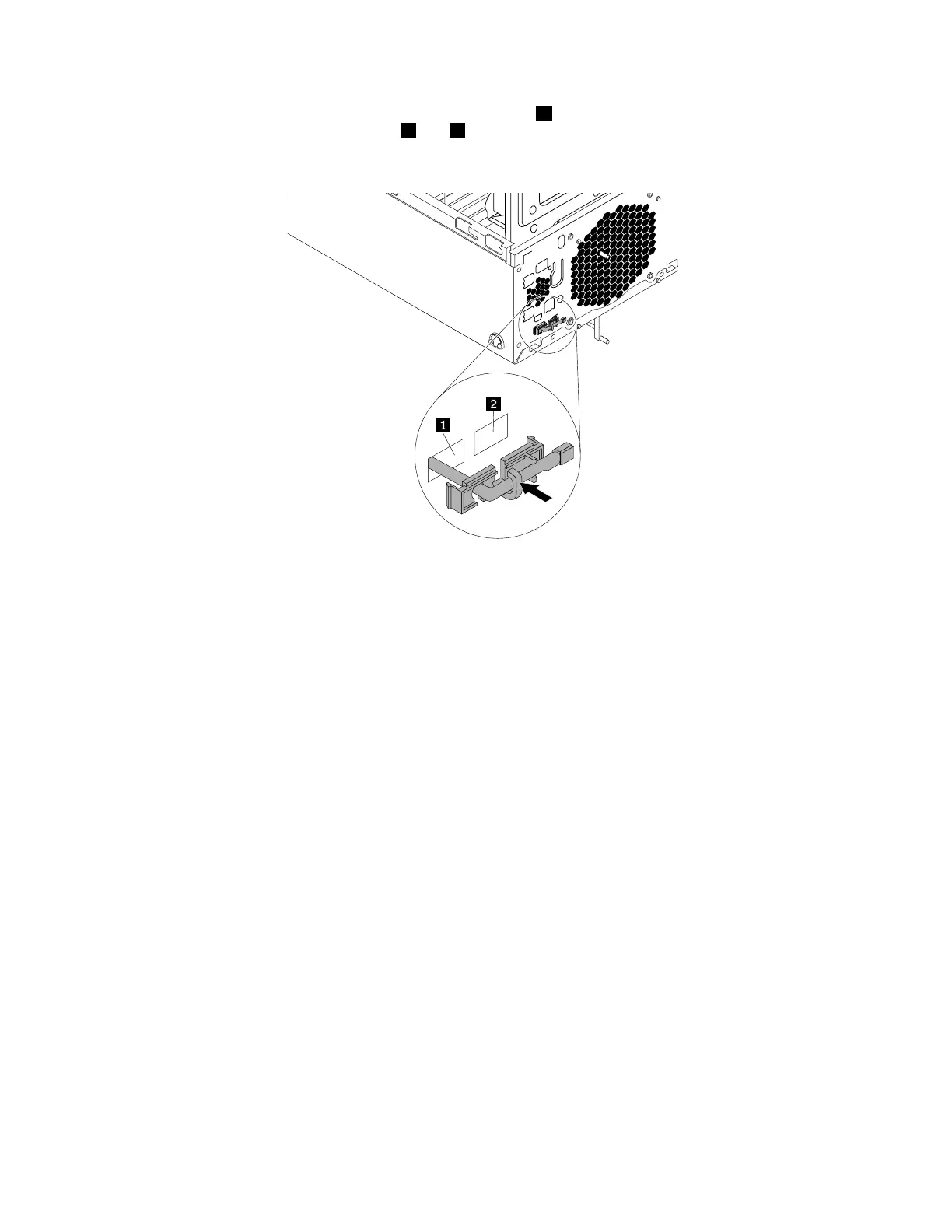
6.Insertthecableofthenewthermalsensorintothelefthole1inthechassis.Thenalignthetwotabs
ontheplasticholderwiththetwoholes1and2inthechassis.Presstheplasticholderuntilitsnaps
intoposition.
Figure101.Installingthethermalsensor
7.Reconnectthethermalsensorcabletothethermalsensorconnectoronthesystemboard.See“Parts
onthesystemboard”onpage34.
8.Reinstallthefrontbezel.See“Removingandreinstallingthefrontbezel”onpage90.
Whattodonext:
•Toworkwithanotherpieceofhardware,gototheappropriatesection.
•Tocompletetheinstallationorreplacement,goto“Completingthepartsreplacement”onpage166.
Replacingthecoverpresenceswitch
Attention:BeforeyoureplaceanyFRU,besuretoreadandunderstandChapter1“Readthisfirst:Important
safetyinformation”onpage1.
Toreplacethecoverpresenceswitch,dothefollowing:
1.Removeallmediafromthedrivesandturnoffallattacheddevicesandthecomputer.Then,disconnect
allpowercordsfromelectricaloutletsanddisconnectallcablesthatareconnectedtothecomputer.
2.Removethecomputercover.See“Removingthecomputercover”onpage90.
3.Removethefrontbezel.See“Removingandreinstallingthefrontbezel”onpage90.
4.Disconnectthecoverpresenceswitchcablefromthesystemboard.See“Partsonthesystemboard”
onpage34.
148ThinkStationP310HardwareMaintenanceManual













 To Next Page