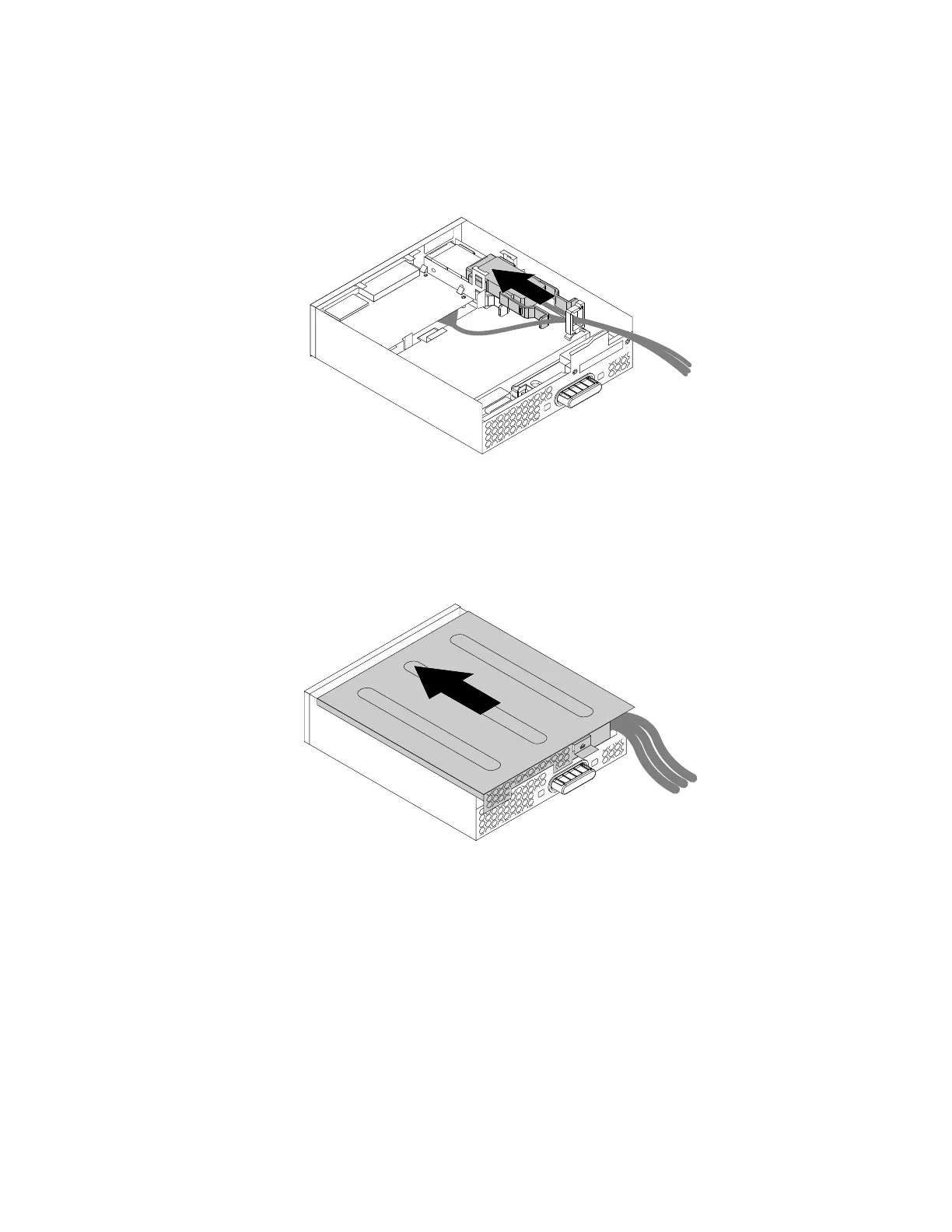
4.NotetheorientationoftheeSATAconnectororIEEE1394connectorandroutetheeSATAconnectoror
IEEE1394connectorcableintothecableclip.
5.PlacetheeSATAconnectororIEEE1394connectorintothemetalretainer.TheninserttheeSATA
connectororIEEE1394connectorintothecorrespondingslotintheflexmoduleasshown.
Figure59.InstallingtheeSATAconnectororIEEE1394connectorintheflexmodule
6.Positiontheflexmodulecoverontheflexmodulesothattherailguidesonthebottomoftheflexmodule
coverengagetherailsontheflexmodule.Then,pushthecovertothefrontoftheflexmoduleuntil
itsnapsintoposition.
Figure60.Reinstallingtheflexmodulecover
7.ConnecttheeSATAconnectororIEEE1394connectorcabletothecorrespondingconnectoronthe
systemboard.See“Partsonthesystemboard”onpage34.
Whattodonext:
•Toworkwithanotherpieceofhardware,gototheappropriatesection.
•Tocompletetheinstallationorreplacement,goto“Completingthepartsreplacement”onpage166.
Installingorreplacingadeviceinthefront-accessstorageenclosure
Attention:DonotopenyourcomputerorattemptanyrepairbeforereadingandunderstandingtheChapter
1“Readthisfirst:Importantsafetyinformation”onpage1
.
Chapter9.Installingorreplacinghardware119








 To Next Page