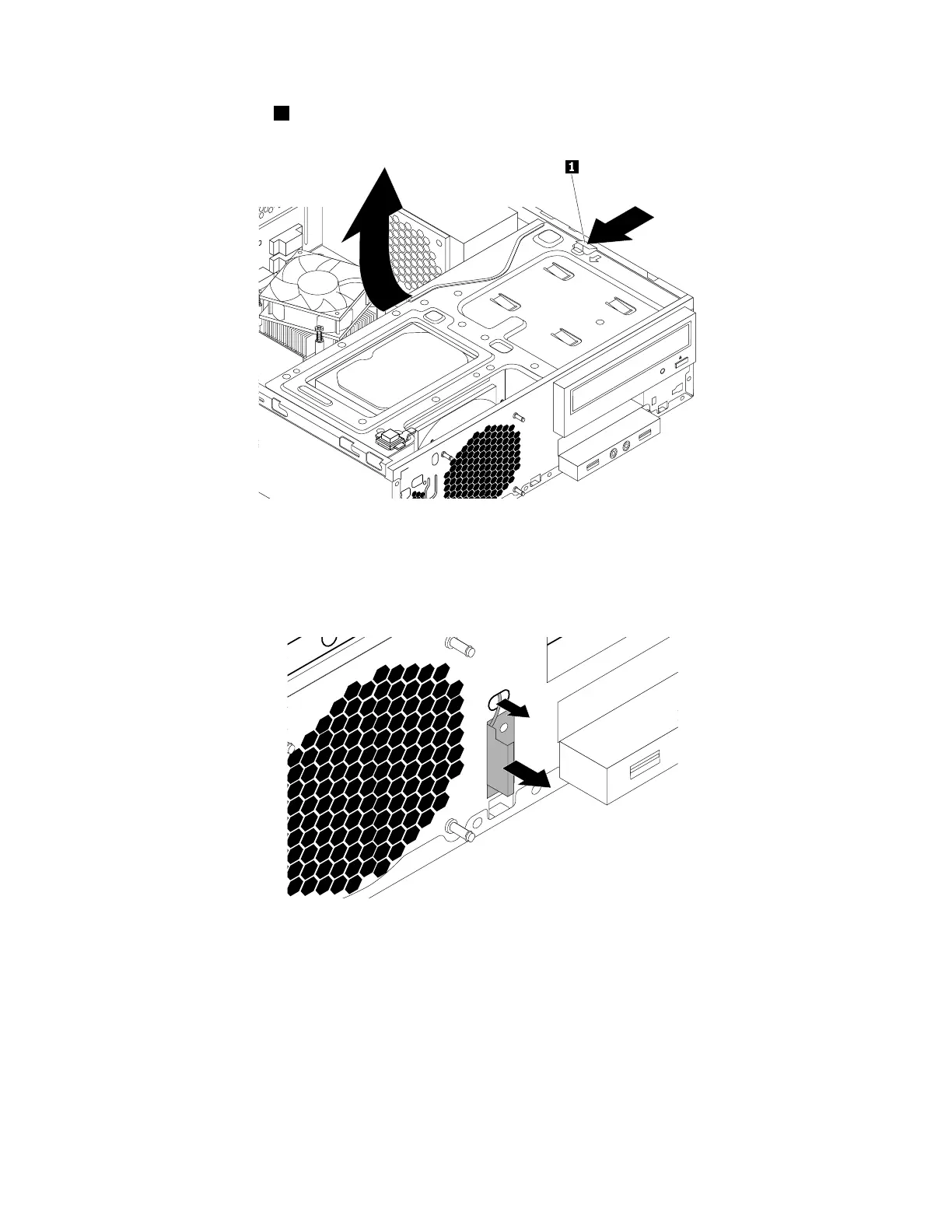
4.Pressthereleasetab1asshownandpivotthedrivebayassemblyupward.
Figure127.Pivotingthedrivebayassemblyupward
5.DisconnectthefrontantennacablefromtheWi-Ficardmodule.
6.Removethefrontantennaandcablefromthefrontofthecomputer.
Figure128.RemovingthefrontWi-Fiantenna
Whattodonext:
•Toworkwithanotherpieceofhardware,gototheappropriatesection.
•Tocompletetheinstallationorreplacement,goto“Completingthepartsreplacement”onpage166
.
InstallingorremovingtherearWi-Fiantenna
Attention:DonotopenyourcomputerorattemptanyrepairbeforereadingandunderstandingtheChapter
1“Readthisfirst:Importantsafetyinformation”onpage1
.
164ThinkStationP310HardwareMaintenanceManual













 To Next Page