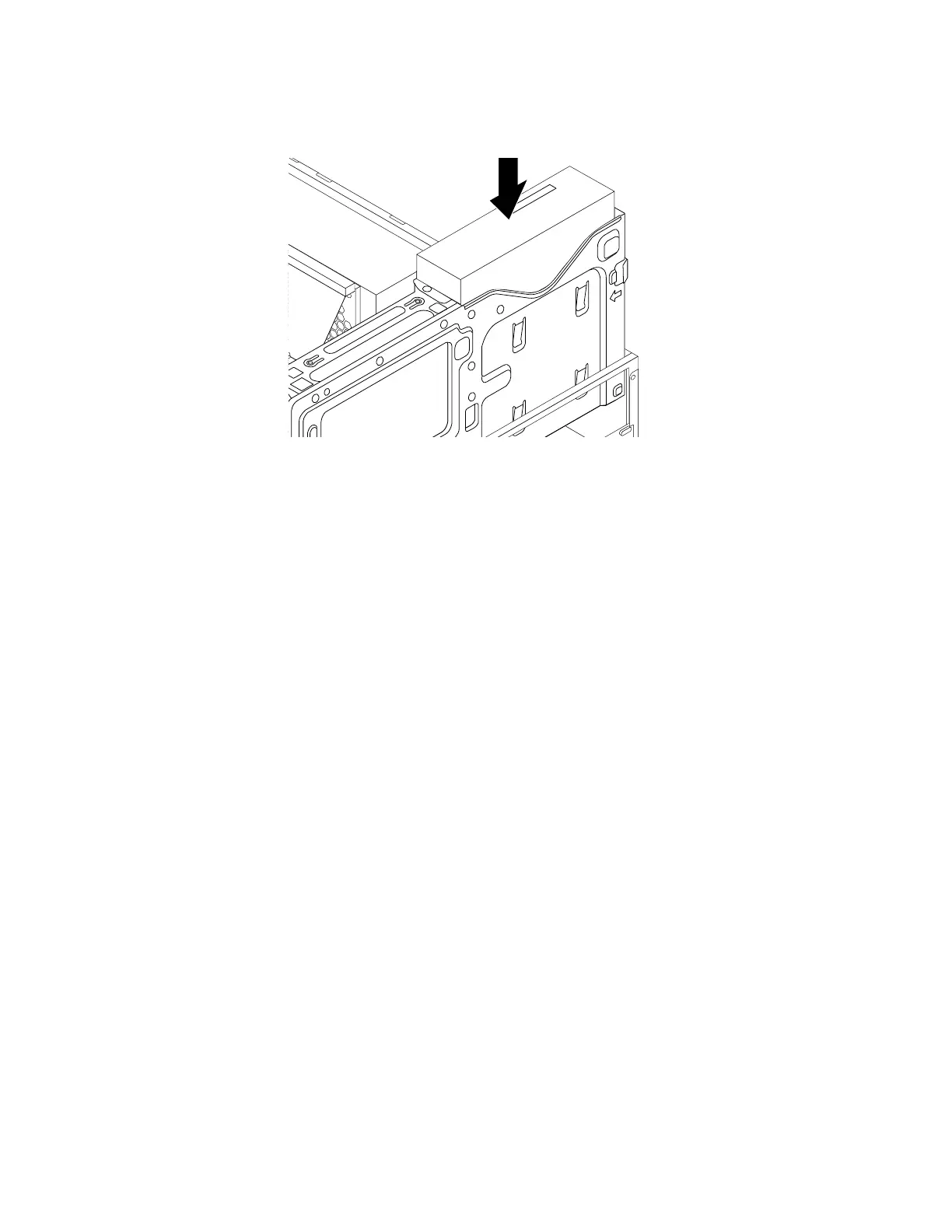
7.Slidethenewopticaldriveintothedrivebayuntiltheopticaldrivesnapsintoposition.
Figure43.Installingtheopticaldrive
8.Connectanyrequiredcables.Fortheopticaldrive,connectthepowercableandthesignalcableto
therearoftheopticaldrive.
Whattodonext:
•Toworkwithanotherpieceofhardware,gototheappropriatesection.
•Tocompletetheinstallationorreplacement,goto“Completingthepartsreplacement”onpage166
.
Installingorreplacingadeviceinthe5.25-inchflexmodule
Attention:DonotopenyourcomputerorattemptanyrepairbeforereadingandunderstandingtheChapter
1“Readthisfirst:Importantsafetyinformation”onpage1.
Installingorreplacingadeviceinthe5.25-inchflexmoduleinvolvesthefollowingoperations:
•“Installingorreplacingaslimopticaldriveintheflexmodule”onpage112
•“Installingorreplacingacardreaderintheflexmodule”onpage115
•“InstallingorreplacinganeSATAconnectororIEEE1394connectorintheflexmodule”onpage117
Installingorreplacingaslimopticaldriveintheflexmodule
Toinstallorreplaceaslimopticaldriveintheflexmodule,dothefollowing:
1.Removetheflexmoduleoutofthechassis.See“Installingorreplacinganopticaldrive”onpage109.
112ThinkStationP310HardwareMaintenanceManual








 To Next Page