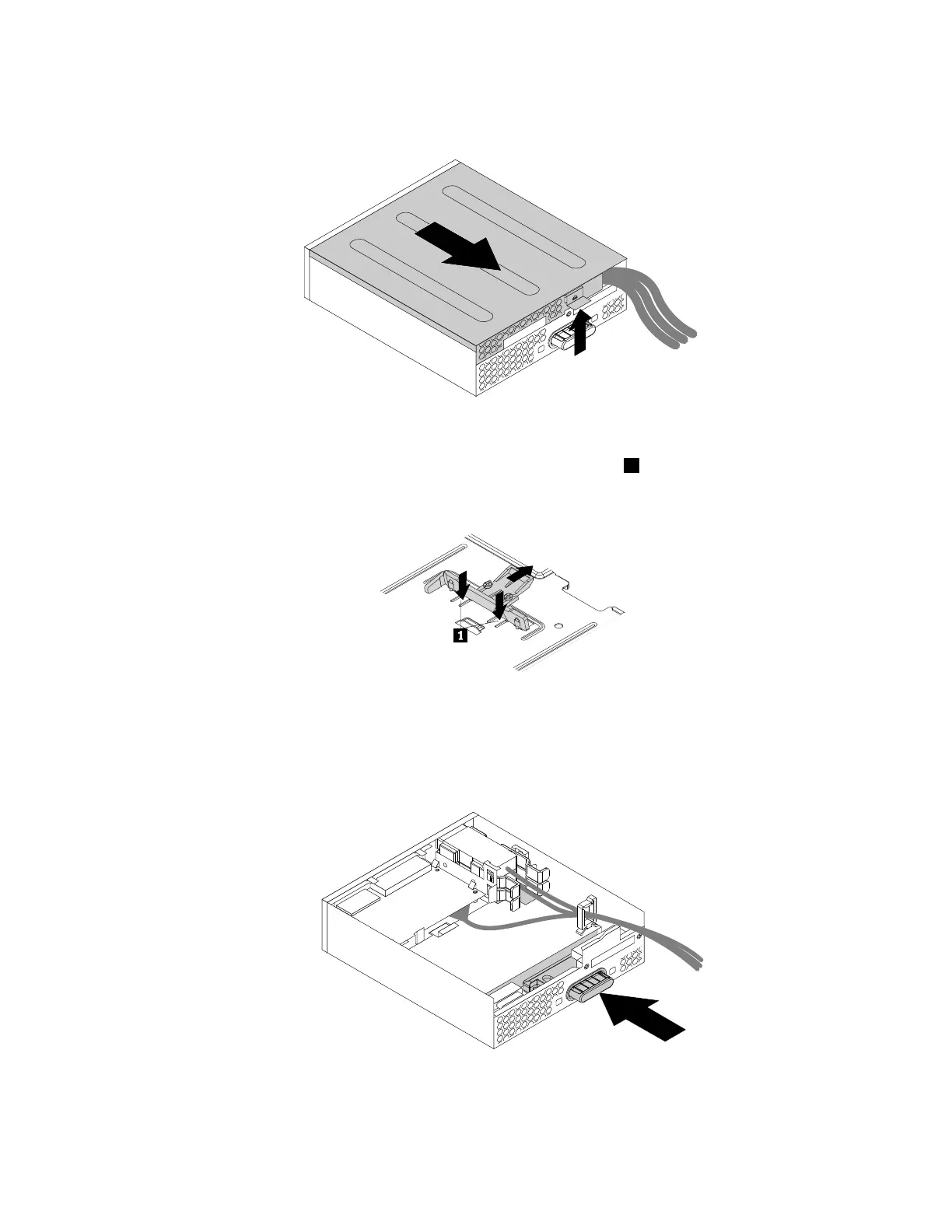
2.Lifttheclipontherearoftheflexmoduleandslidetheflexmodulecovertothereartoremovethecover.
Figure44.Removingtheflexmodulecover
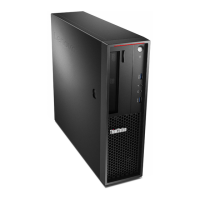
3.Ifyouareinstallinganewslimopticaldrive,pressthetwometalclips1toremovetheplasticclipwith
thetwoscrewsasshown.Removethetwoscrewsandthengotostep4.
Figure45.Removingtheplasticclipwiththetwoscrews
Ifyouarereplacinganoldslimopticaldrive,dothefollowing:
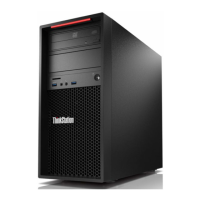
a.Pressthebuttonasshowntoremovetheslimopticaldrivefromtheflexmodule.
Figure46.Removingtheslimopticaldrivefromtheflexmodule
Chapter9.Installingorreplacinghardware113








 To Next Page