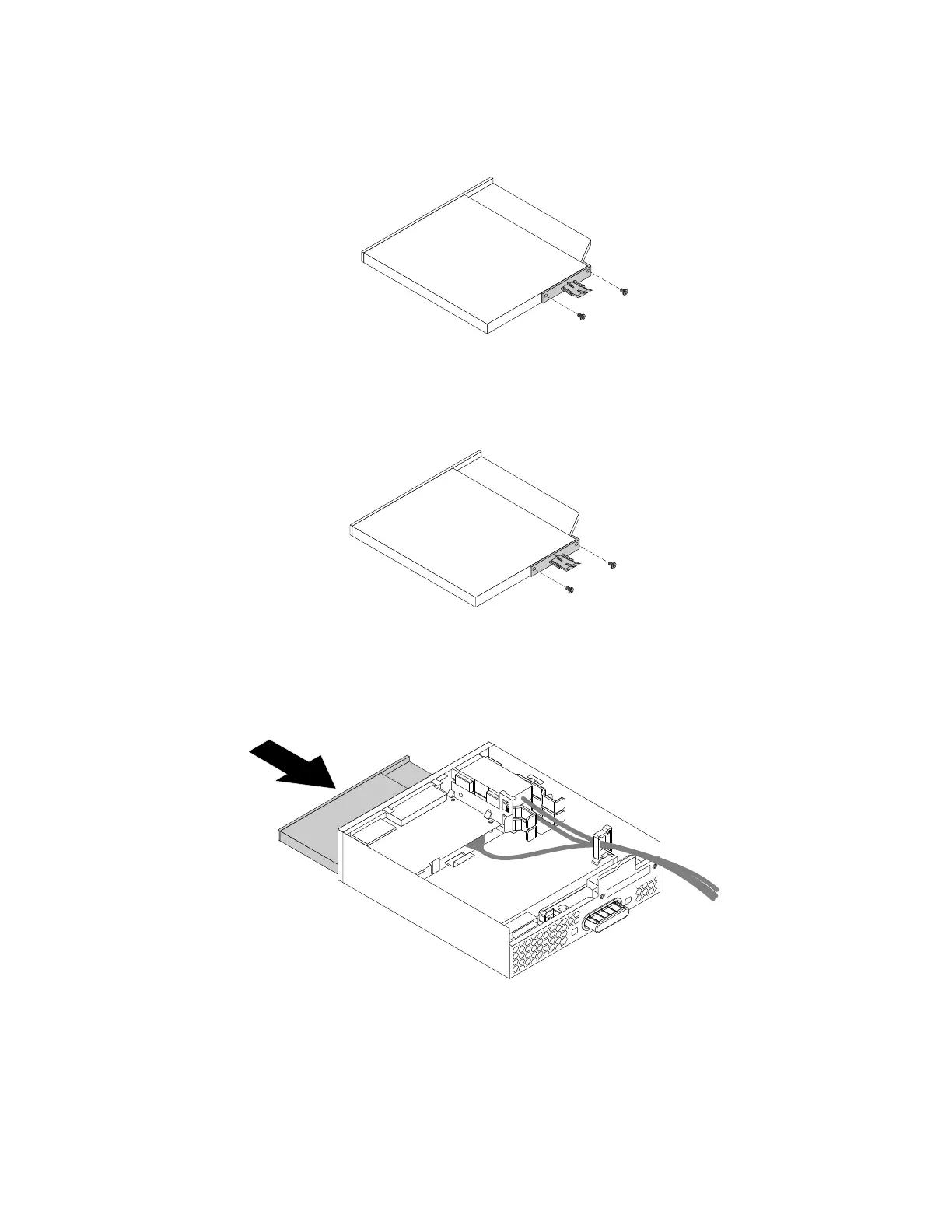
b.Removethetwoscrewsthatsecurethecliptoremovetheplasticclipfromtherearoftheslim
opticaldrive.
Figure47.Removingtheplasticclipfromtheslimopticaldrive
4.Installthetwoscrewstosecuretheplasticclipontherearofthenewslimopticaldrive.
Figure48.Installingtheplasticcliptotheslimopticaldrive
5.Slidethenewslimopticaldrivewiththeplasticclipintotheflexmoduleuntiltheslimopticaldrive
snapsintoposition.
Figure49.Installingtheslimopticaldriveintheflexmodule
114ThinkStationP310HardwareMaintenanceManual









 To Next Page