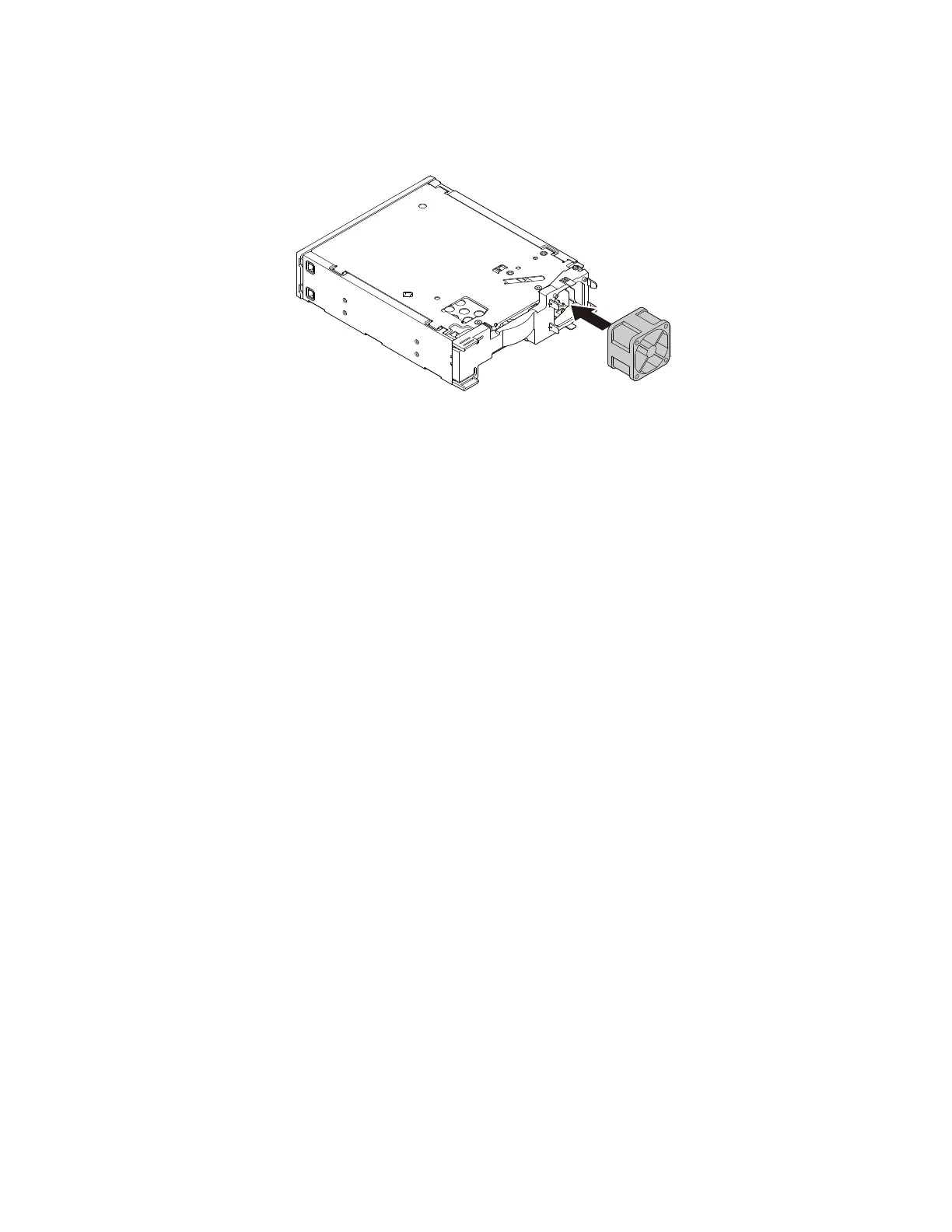
3.Toinstallanewenclosurefan,alignthefourholesinthenewfanwiththecorrespondingtabsonthefan
bracket.Pushthefanontotheenclosureuntilthefanissecuredinplace.
Figure76.Installingthefanintheenclosure
Whattodonext:
•Toworkwithanotherpieceofhardware,gototheappropriatesection.
•Tocompletetheinstallationorreplacement,goto“Completingthepartsreplacement”onpage166.
Installingorreplacingthesolid-statedrive
Attention:DonotopenyourcomputerorattemptanyrepairbeforereadingandunderstandingtheChapter
1“Readthisfirst:Importantsafetyinformation”onpage1.
Installingthesolid-statedrive
Toinstallthesolid-statedrive,dothefollowing:
128ThinkStationP310HardwareMaintenanceManual













 To Next Page