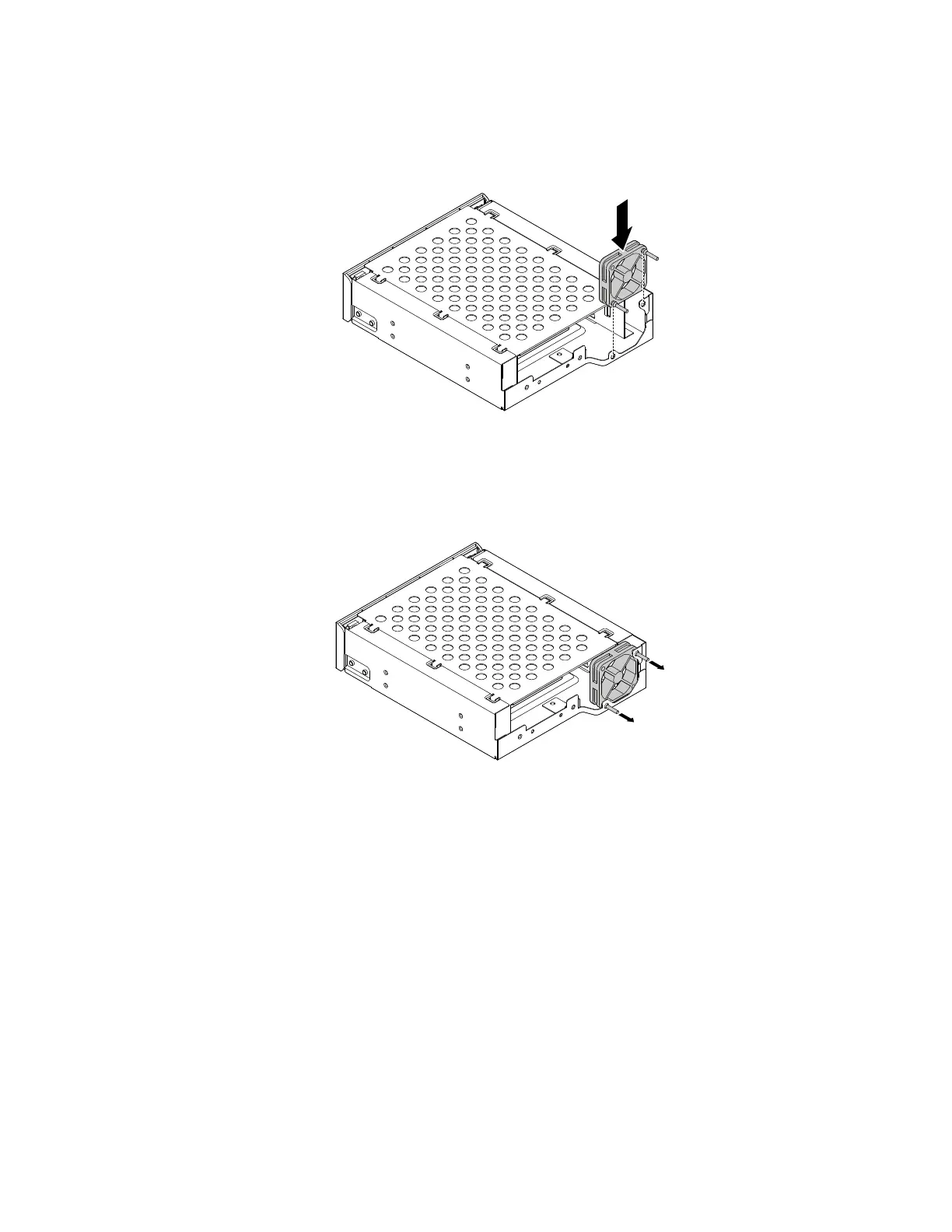
3.Toinstallanewfanintothefront-accessstorageenclosure,inserttwonewrubbermounts(shippedwith
thenewfan)intothecorrespondingholesinthefan.Positionthefanontothefront-accessstorage
enclosure.
Figure66.Installingandaligningtherubbermounts
4.Inserttherubbermountsintothecorrespondingmountingholesintherearoftheenclosure.Then
carefullypullonthetipsoftherubbermountsuntilthenewfanissecuredinplace.
Figure67.Installingthefaninthefront-accessstorageenclosure
Whattodonext:
•Toworkwithanotherpieceofhardware,gototheappropriatesection.
•Tocompletetheinstallationorreplacement,goto“Completingthepartsreplacement”onpage166.
Installingorreplacingadeviceintheoptical/storagecombination
enclosure
Attention:DonotopenyourcomputerorattemptanyrepairbeforereadingandunderstandingtheChapter
1“Readthisfirst:Importantsafetyinformation”onpage1.
Installingorreplacingadeviceintheoptical/storagecombinationenclosureinvolvesthefollowingoperations:
•“Installingorreplacingaharddiskdriveintheoptical/storagecombinationenclosure”onpage124
•“Installingorreplacingaslimopticaldriveintheoptical/storagecombinationenclosure”onpage126
Note:Foraflexstorageenclosure,theinformationaboutinstallingorreplacingaharddiskdrivealsoapplies.
Chapter9.Installingorreplacinghardware123













 To Next Page