Replacingtheprimaryharddiskdrive
Attention:DonotopenyourcomputerorattemptanyrepairbeforereadingandunderstandingtheChapter
1“Readthisfirst:Importantsafetyinformation”onpage1.
Toreplacetheprimaryharddiskdrive,dothefollowing:
1.Removeallmediafromthedrivesandturnoffallattacheddevicesandthecomputer.Then,disconnect
allpowercordsfromelectricaloutletsanddisconnectallcablesthatareconnectedtothecomputer.
2.Removethecomputercover.See“Removingthecomputercover”onpage90.
3.Removethefrontbezel.See“Removingandreinstallingthefrontbezel”onpage90.
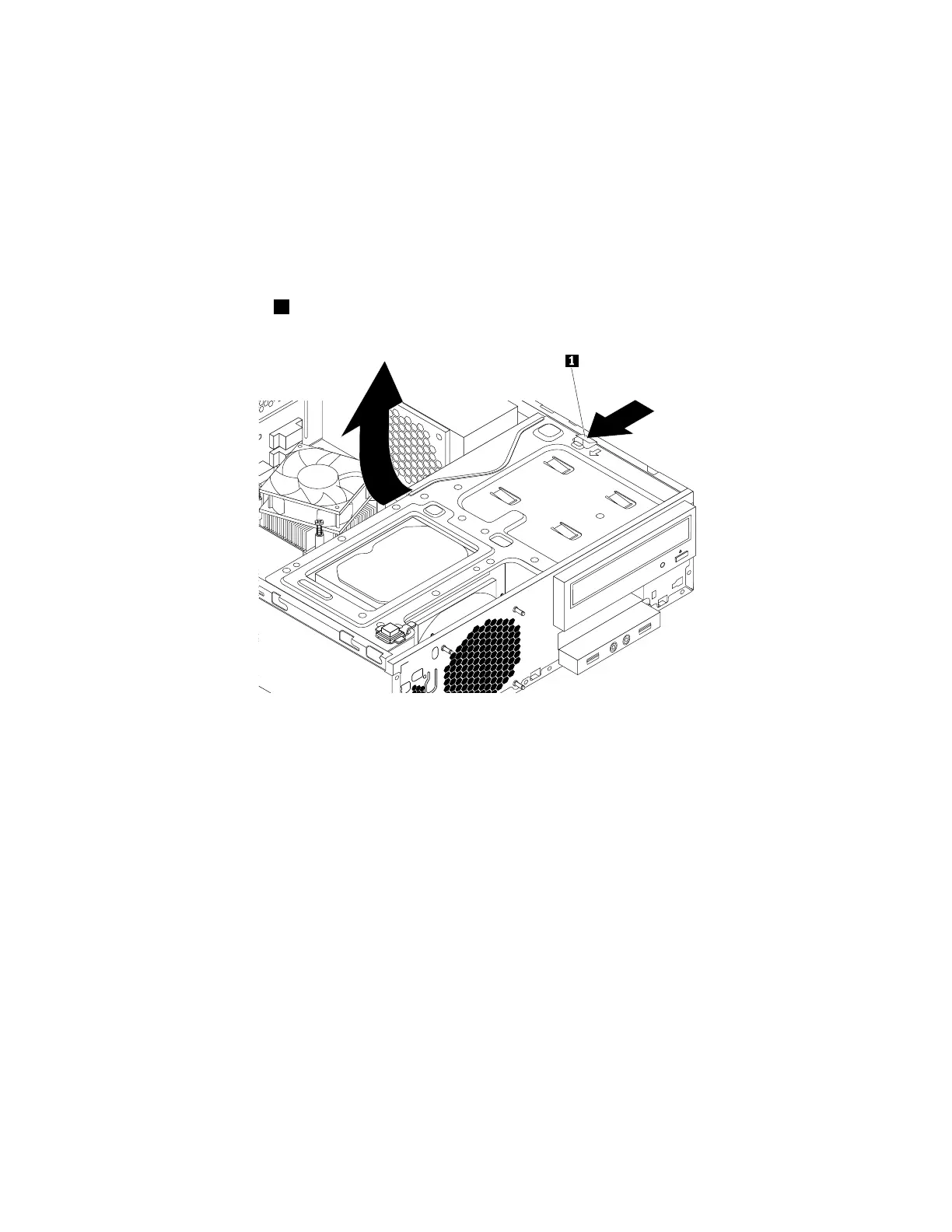
4.Pressthereleasetab1asshownandpivotthedrivebayassemblyupward.
Figure104.Pivotingthedrivebayassemblyupward
5.Locatetheprimaryharddiskdrive.See“Internaldrives”onpage35.
6.Disconnectthesignalcableandthepowercablefromtheharddiskdrive.
150ThinkStationP310HardwareMaintenanceManual













 To Next Page