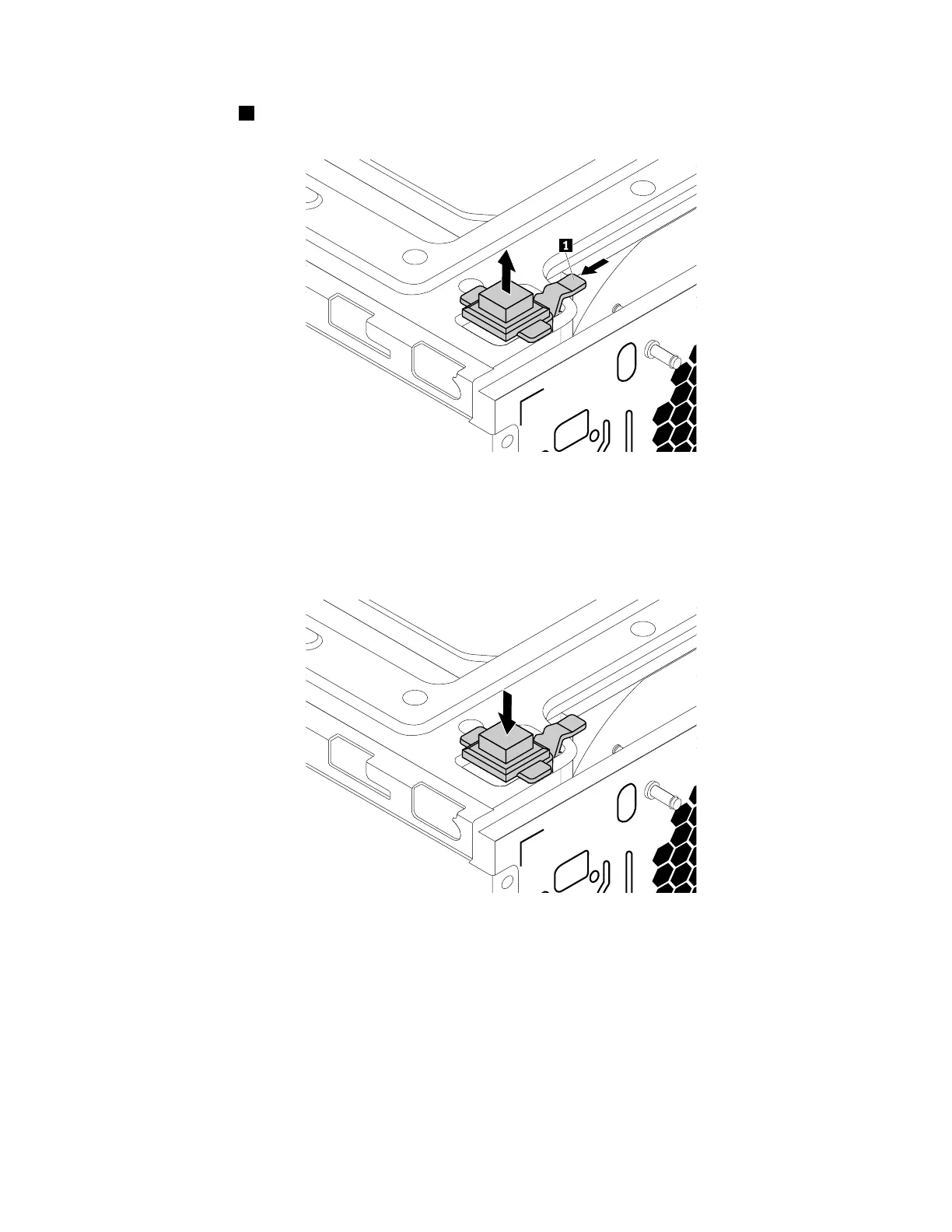
5.Presstheclip1asshownandliftthecoverpresenceswitchuptoremoveitfromthechassis.
Figure102.Removingthecoverpresenceswitch
6.Putthenewcoverpresenceswitchintotheholeandpressitdownuntilitsnapsintoposition.
Note:Payattentiontotheorientationofthecoverpresenceswitch.
Figure103.Installingthecoverpresenceswitch
7.Connectthecoverpresenceswitchcabletothecoverpresenceswitchconnectoronthesystemboard.
See“Partsonthesystemboard”onpage34.
8.Reinstallthefrontbezel.See“Removingandreinstallingthefrontbezel”onpage90.
Whattodonext:
•Toworkwithanotherpieceofhardware,gototheappropriatesection.
•Tocompletetheinstallationorreplacement,goto“Completingthepartsreplacement”onpage166.
Chapter9.Installingorreplacinghardware149













 To Next Page