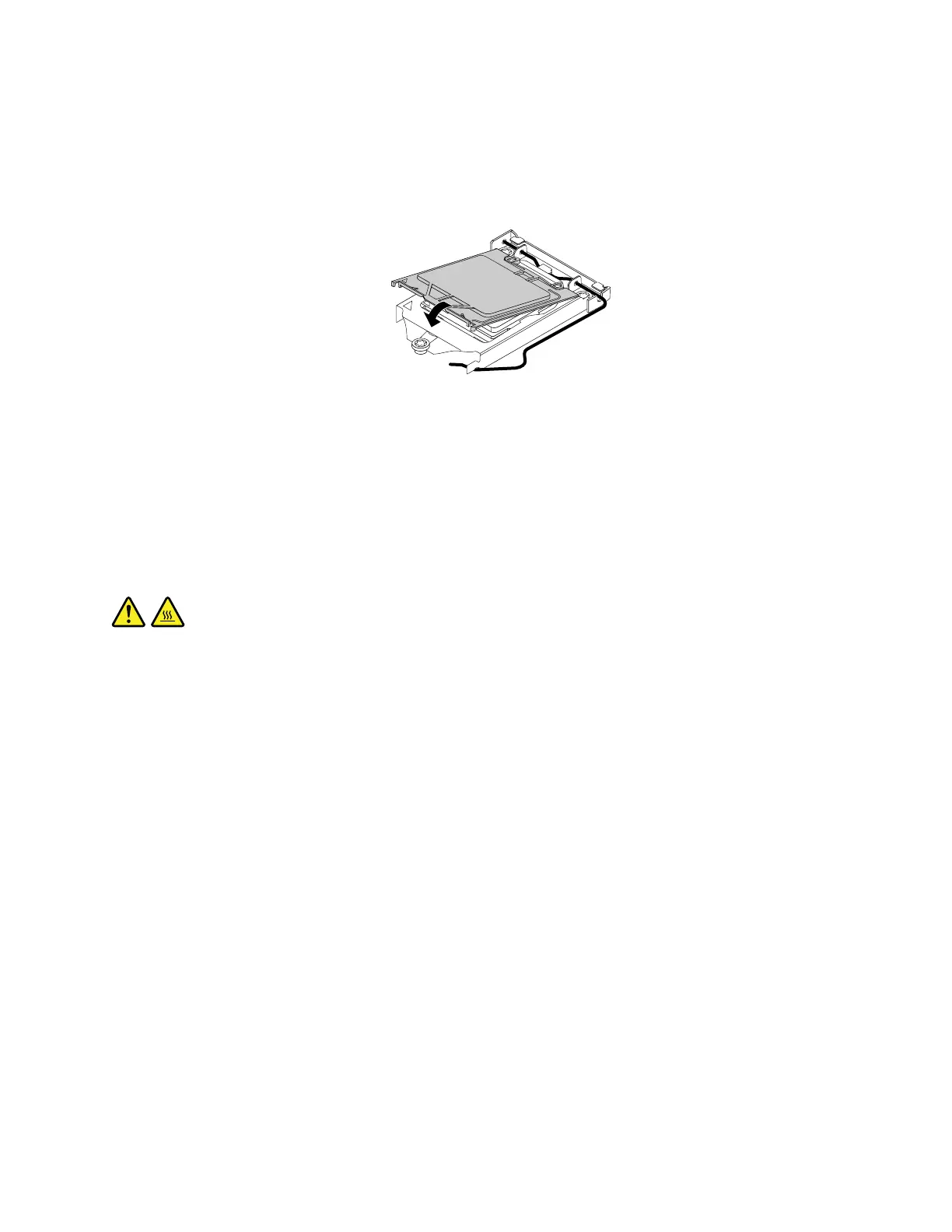
2.Notetheorientationofthesocketcover,andinstallonesideofthesocketcoverintothemicroprocessor
socket.Carefullypresstheothersideofthesocketcoverdownwarduntilthesocketcoversnaps
intoposition.
Note:Yourmicroprocessorsocketandcovermightlookslightlydifferentfromtheillustration.
Figure36.Installingthemicroprocessorsocketcover
3.Carefullycheckthefourcornersofthesocketcovertoensurethatthecoverisseatedsecurely.
4.Followanyadditionalinstructionsthatareincludedwiththereplacementpartyoureceived.
Replacingthemicroprocessor
Attention:BeforeyoureplaceanyFRU,besuretoreadandunderstandChapter1“Readthisfirst:Important
safetyinformation”onpage1.
CAUTION:
Theheatsinkandmicroprocessormightbeveryhot.Beforeyouopenthecomputercover,turnoff
thecomputerandwaitseveralminutesuntilthecomputeriscool.
Toreplacethemicroprocessor,dothefollowing:
1.Removeallmediafromthedrivesandturnoffallattacheddevicesandthecomputer.Then,disconnect
allpowercordsfromelectricaloutletsanddisconnectallcablesthatareconnectedtothecomputer.
2.Removethecomputercover.See“Removingthecomputercover”onpage90.
3.Laythecomputeronitssideforeasieraccesstothesystemboard.
4.Locatethesystemboardanddisconnectthecableconnectedtotheheatsinkandfanassembly.
See“Partsonthesystemboard”onpage34.
5.Removetheheatsinkandfanassembly.See“Replacingtheheatsinkandfanassembly”onpage136.
Note:Placetheheatsinkandfanassemblyonitssidesothatthethermalgreaseonthebottom
doesnotcontactwithanything.
Chapter9.Installingorreplacinghardware107













 To Next Page