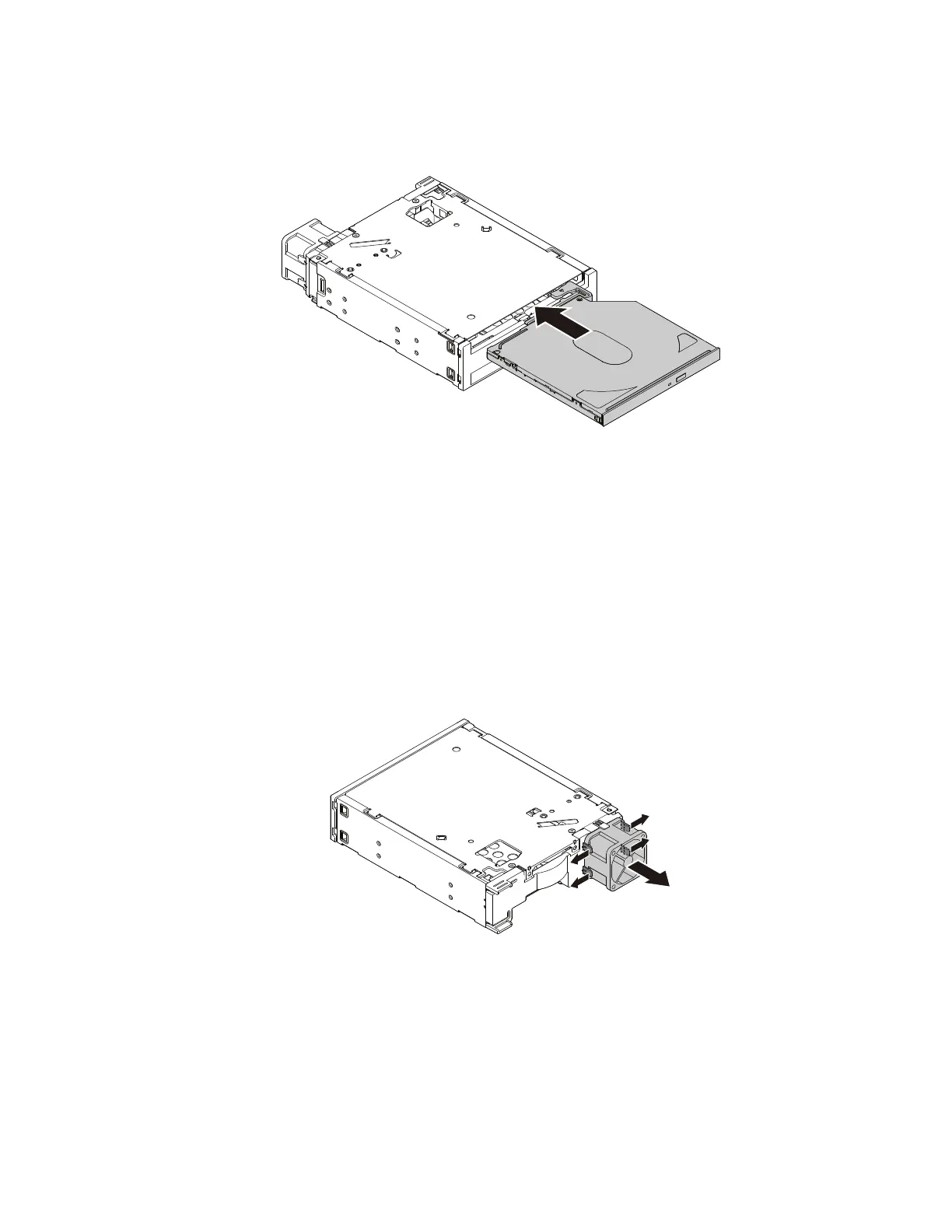
3.Insertanewslimopticaldriveintotheenclosureuntilyouhearaclick.Theslimopticaldriveissecured
inplace.
Figure74.Installingtheslimopticaldriveintheenclosure
Whattodonext:
•Toworkwithanotherpieceofhardware,gototheappropriatesection.
•Tocompletetheinstallationorreplacement,goto“Completingthepartsreplacement”onpage166.
Installingorreplacingthefanoftheoptical/storagecombinationenclosure
Toinstallorreplacethefanontheoptical/storagecombinationenclosure,dothefollowing:
1.Slidetheenclosureoutofthechassis.See“Installingorreplacinganopticaldrive”onpage109.
2.Ifyouarereplacinganoldfan,pivotthefourretainingclipsontheenclosurefanbracketasshownto
disengagethefanfromtheenclosure.
Figure75.Removingthefanfromtheenclosure
Chapter9.Installingorreplacinghardware127













 To Next Page