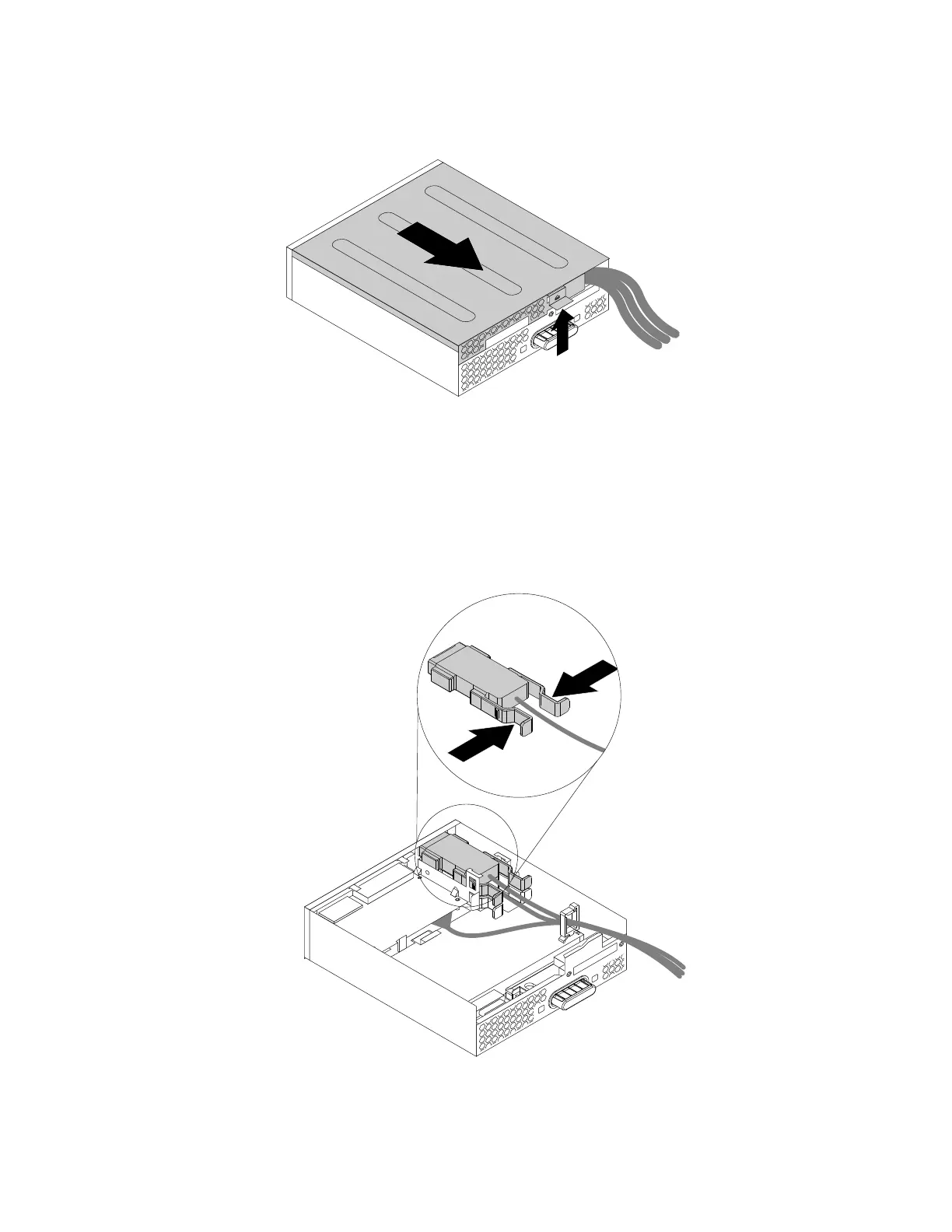
2.Lifttheclipontherearoftheflexmoduleandslidetheflexmodulecovertothereartoremovethecover.
Figure57.Removingtheflexmodulecover
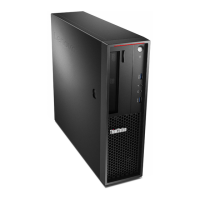
3.IfyouarereplacinganeSATAconnectororIEEE1394connector,dothefollowing:
a.DisconnecttheeSATAconnectororIEEE1394connectorcablefromthesystemboard.See“Parts
onthesystemboard”onpage34.
b.PressthetwoclipstowardeachotherasshownandthenpulltheeSATAconnectororIEEE1394
connectoroutoftheflexmodule.
Figure58.RemovingtheeSATAconnectororIEEE1394connectorfromtheflexmodule
118ThinkStationP310HardwareMaintenanceManual








 To Next Page