Installingorreplacingadeviceinthefront-accessstorageenclosureinvolvesthefollowingoperations:
•“Installingorreplacingaharddiskdriveinthefront-accessstorageenclosure”onpage120
•“Installingorreplacingthefaninthefront-accessstorageenclosure”onpage122
Installingorreplacingaharddiskdriveinthefront-accessstorageenclosure
Attention:DonotopenyourcomputerorattemptanyrepairbeforereadingandunderstandingtheChapter
1“Readthisfirst:Importantsafetyinformation”onpage1.
Youcaninstallorreplaceaharddiskdriveinthefront-accessstorageenclosure.Theharddiskdrivealso
canbehot-swappable,whichmeansthatyoucaninstallorreplacethedrivewithouteventurningoffyour
computer.
Theharddiskdriveinthefront-accessstorageenclosureishot-swappableonlywhenthefollowing
requirementsaremet:
•TheSATAcableofthefront-accessstorageenclosureisconnectedtotheeSATAconnectoronthesystem
board.Toverifythecableconnection,see“Removingthecomputercover”onpage90
and“Partsonthe
systemboard”onpage34formoreinformation.
•Theoperatingsystemofyourcomputerdoesnotresideontheharddiskdriveinstalledinthefront-access
storageenclosure.
Attention:Ifanyoftheaboverequirementsarenotmet,donotinstallorreplacetheharddiskdrivewhen
thecomputeristurnedon.Otherwise,dataontheharddiskdrivemightgetdamaged.
Toinstallorreplaceaharddiskdriveinthefront-accessstorageenclosure,dothefollowing:
1.Beforereplacinganoldharddiskdrive,safelyejecttheoldharddiskdrivefromtheoperatingsystem
first.Formoreinformation,seetheWindowshelpsystem.
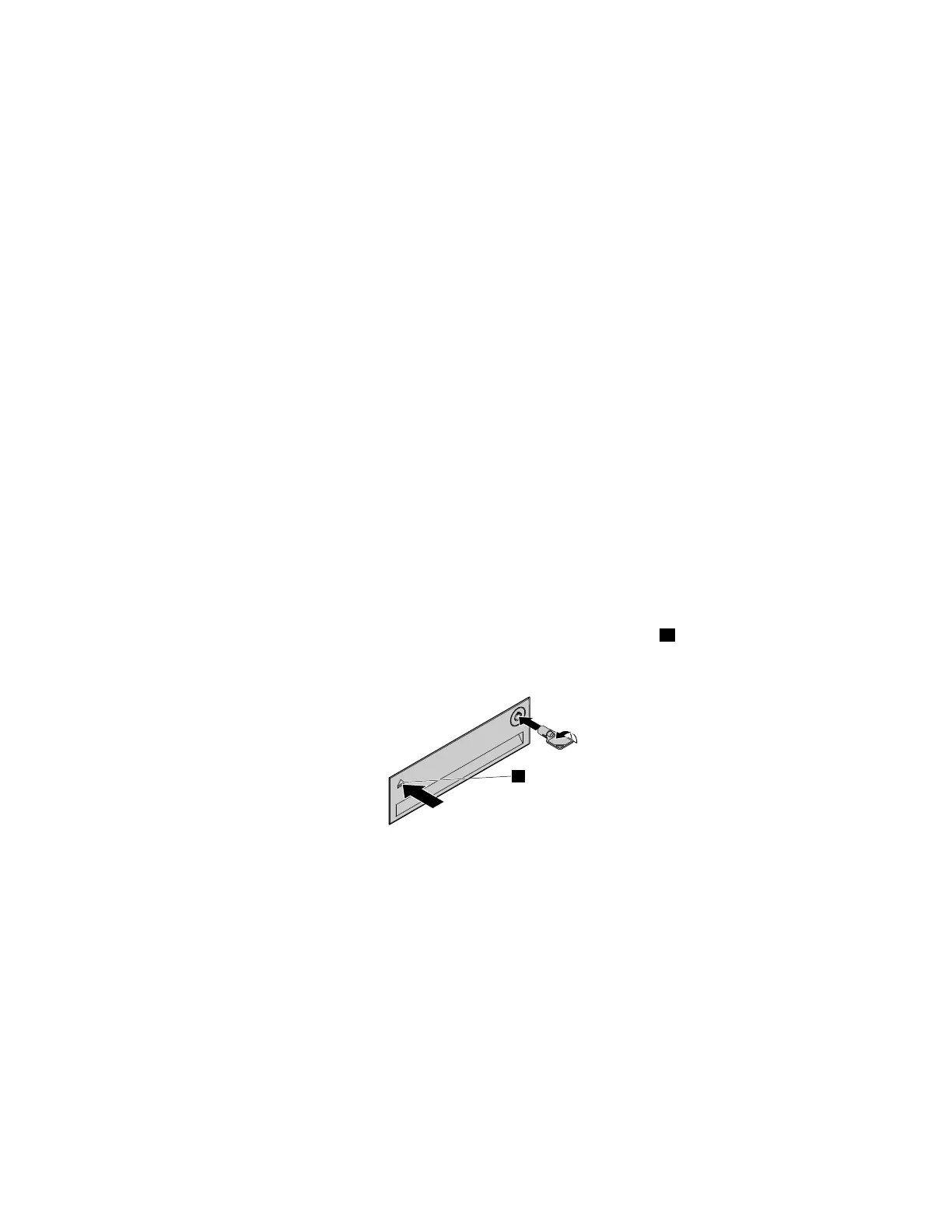
2.Unlocktheenclosurecoverwiththeprovidedkeyasshown.Pressthenotchatoopentheenclosure
cover.
Figure61.Openingthefront-accessstorageenclosurecover
120ThinkStationP310HardwareMaintenanceManual













 To Next Page