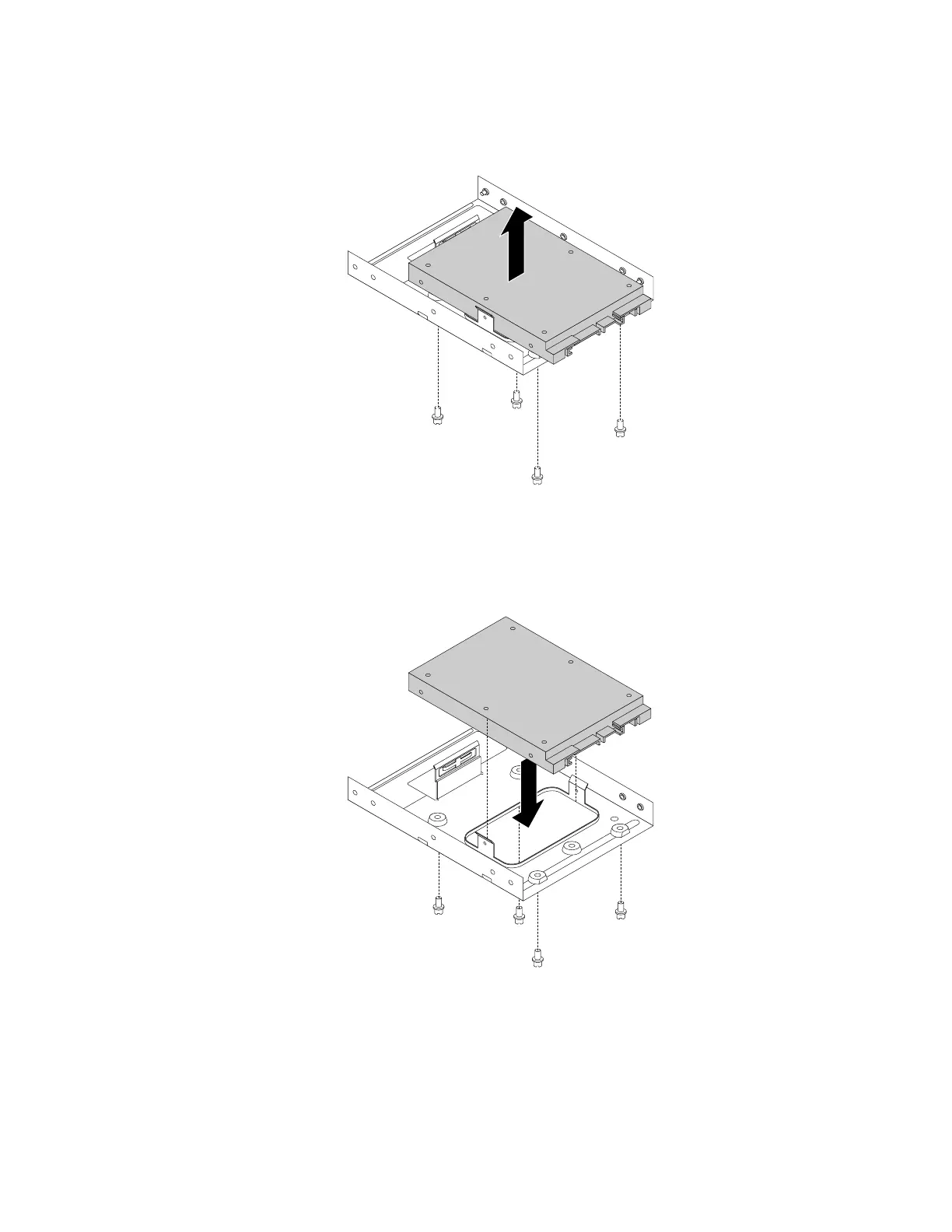
7.Removethefourscrewsthatsecurethesolid-statedrive.Thenliftthesolid-statedriveoutofthe
storageconverter.
Figure80.Removingthesolid-statedrivefromthestorageconverter
8.Installanewsolid-statedriveintothestorageconverter.Theninstallthefourscrewstosecurethe
newsolid-statedrivetothestorageconverter.
Figure81.Installingthenewsolid-statedriveintothestorageconverter
Chapter9.Installingorreplacinghardware131













 To Next Page