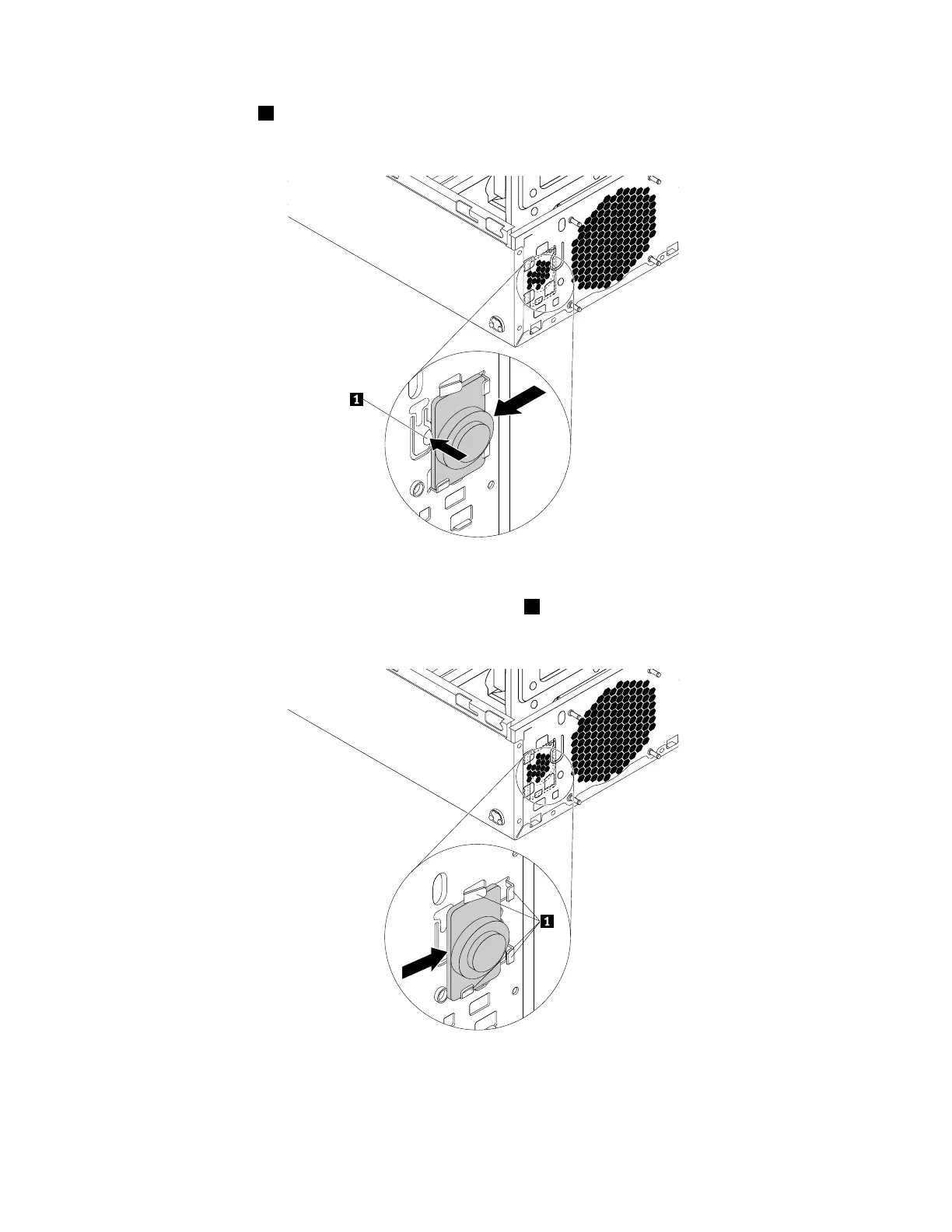
6.Pushthemetaltab1outwardandslidetheinternalspeakertowardthesystemfantoremoveitfrom
thechassis.
Figure98.Removingtheinternalspeaker
7.Positionthenewinternalspeakerintothefourmetalclips1andpushtheinternalspeakertowardsthe
bottomofthechassisuntilitissecuredinplace.
Figure99.Installingtheinternalspeaker
8.Connecttheinternalspeakercabletotheinternalspeakerconnectoronthesystemboard.See“Parts
onthesystemboard”onpage34.
146ThinkStationP310HardwareMaintenanceManual













 To Next Page