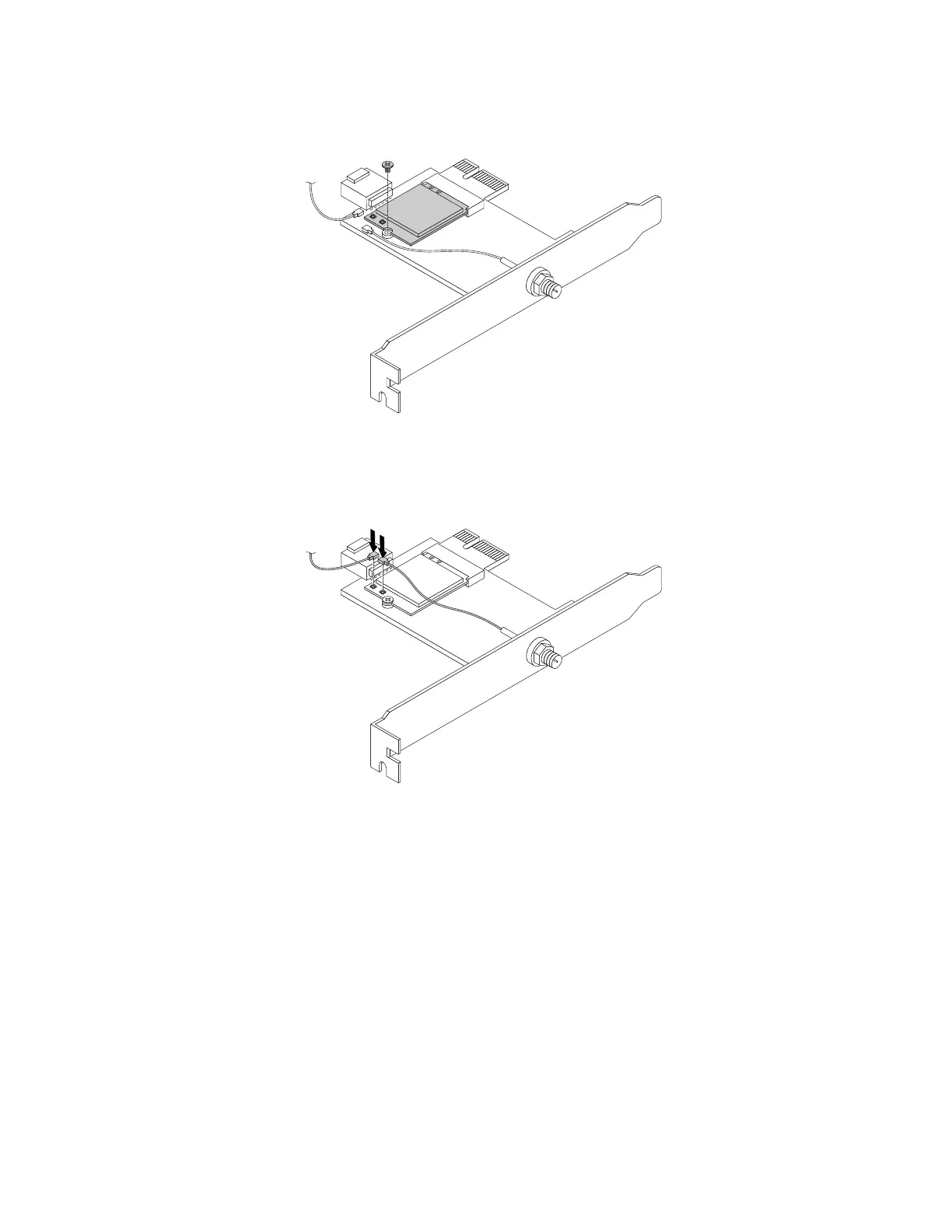
2.InstallascrewtosecuretheWi-FicardmoduletotheWi-Fiadaptercard.
Figure121.InstallingascrewtosecuretheWi-Ficardmodule
3.ConnectthefrontantennacableandrearantennacabletotheWi-Ficardmodule.
Figure122.InstallingtheWi-Fiantennacables
4.InstalltheWi-FiadaptercardintothePCIExpressx1slotonthesystemboard.See“Partsonthe
systemboard”onpage34.
5.IftheinstalledWi-FicardmodulesupportstheBluetoothfunction,connectaBluetoothcablefromthe
BluetoothconnectorontheWi-FiadaptercardtotheUSB2.0connectoronthesystemboard.
160ThinkStationP310HardwareMaintenanceManual













 To Next Page