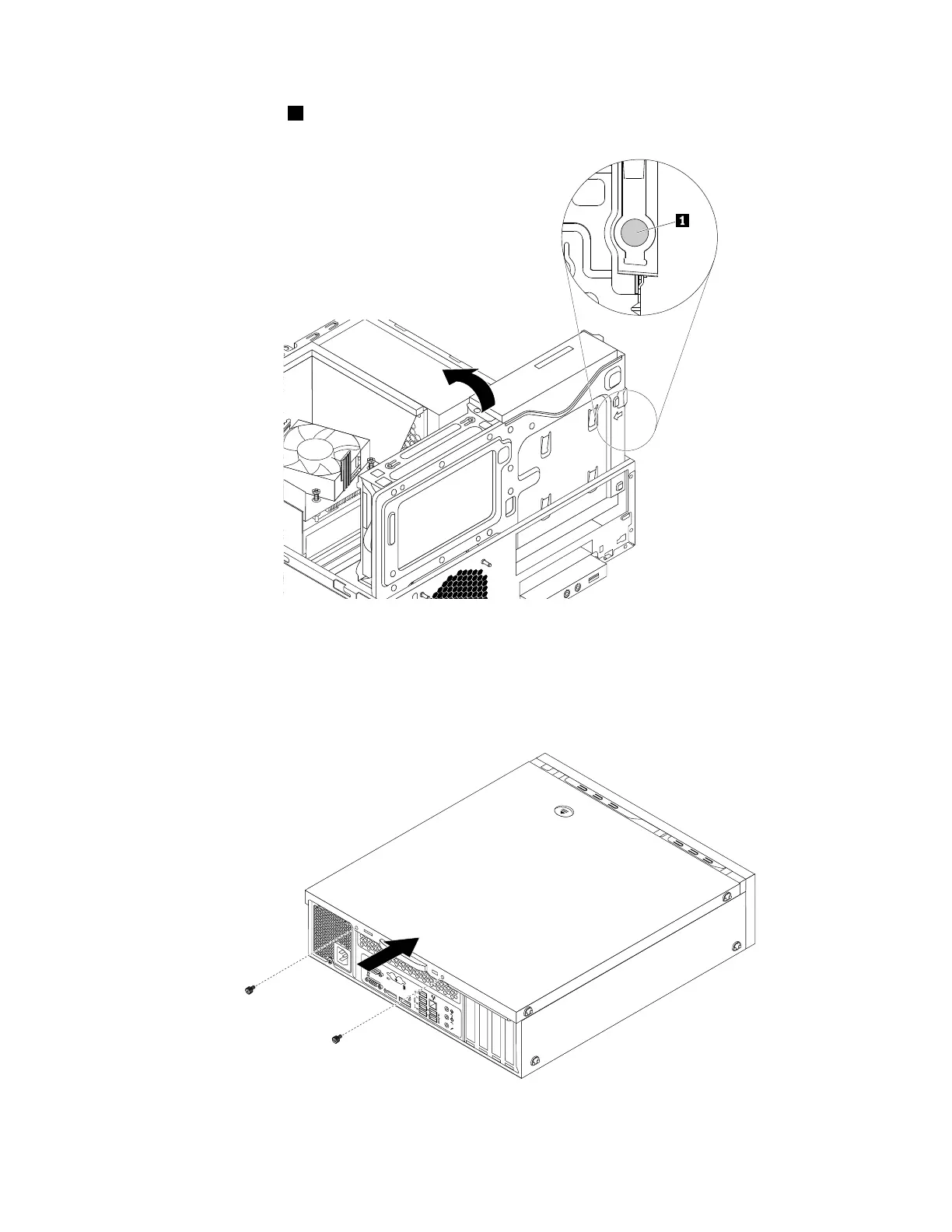
3.Pressthereleasetab1asshownandpivotthedrivebayassemblydownwarduntilitsnapsintoposition.
Figure131.Pivotingthedrivebayassemblydownward
4.Positionthecomputercoveronthechassissothattherailguidesonthebottomofthecomputer
coverengagetherailsonthechassis.Then,pushthecovertothefrontofthecomputeruntilitsnaps
intoposition.
Figure132.Reinstallingthecomputercover
Chapter9.Installingorreplacinghardware167













 To Next Page