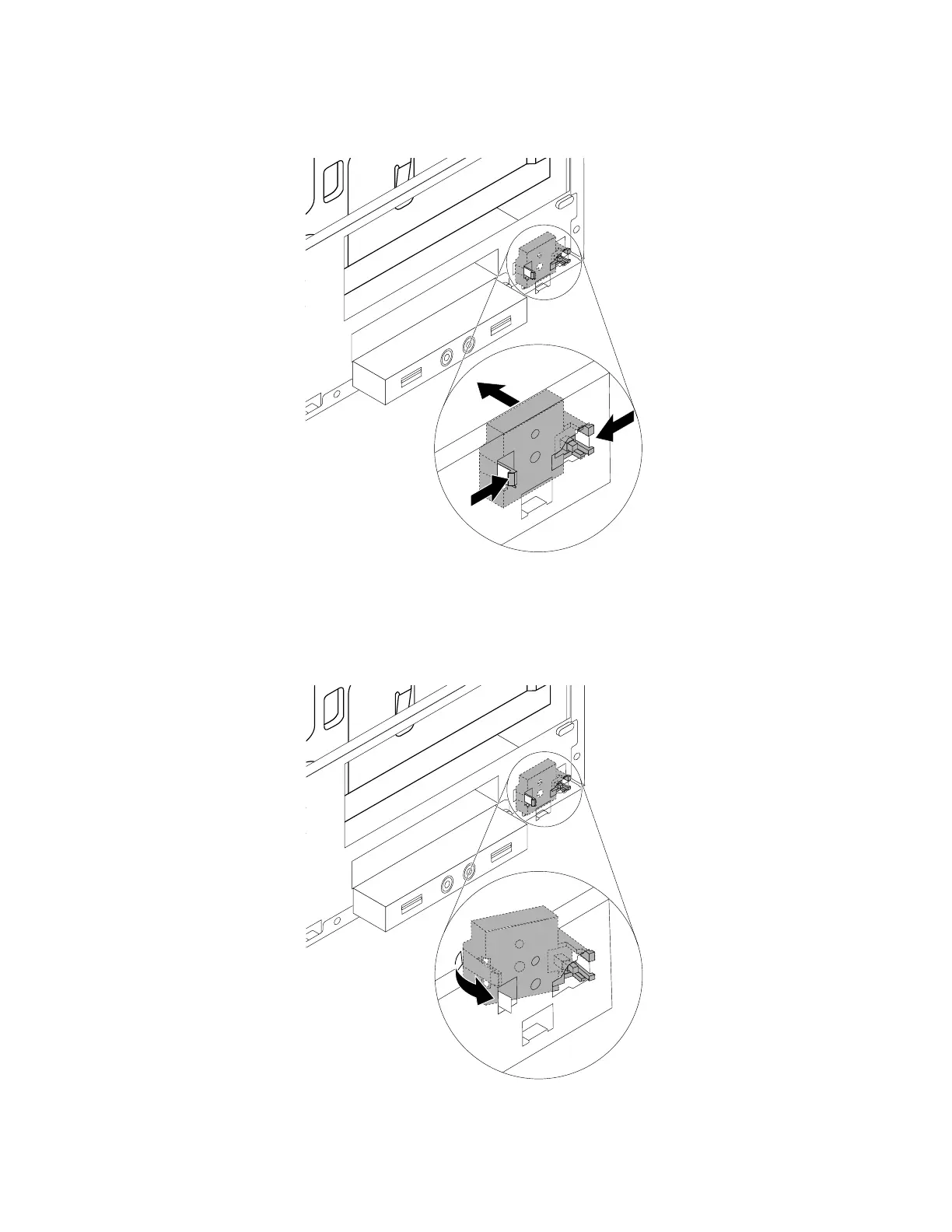
6.Pinchandpushthepowerbuttoninwardthroughtheholetodisengageitfromthechassis.
Figure15.Removingthepowerbutton
7.Insertthetwoplastictabsononesideofthenewpowerbuttonintotheholeinthechassis.Thenpress
thepowerbuttonasshownuntilthetabontheothersidesnapsintoposition.
Figure16.Installingthenewpowerbutton
Chapter9.Installingorreplacinghardware93













 To Next Page