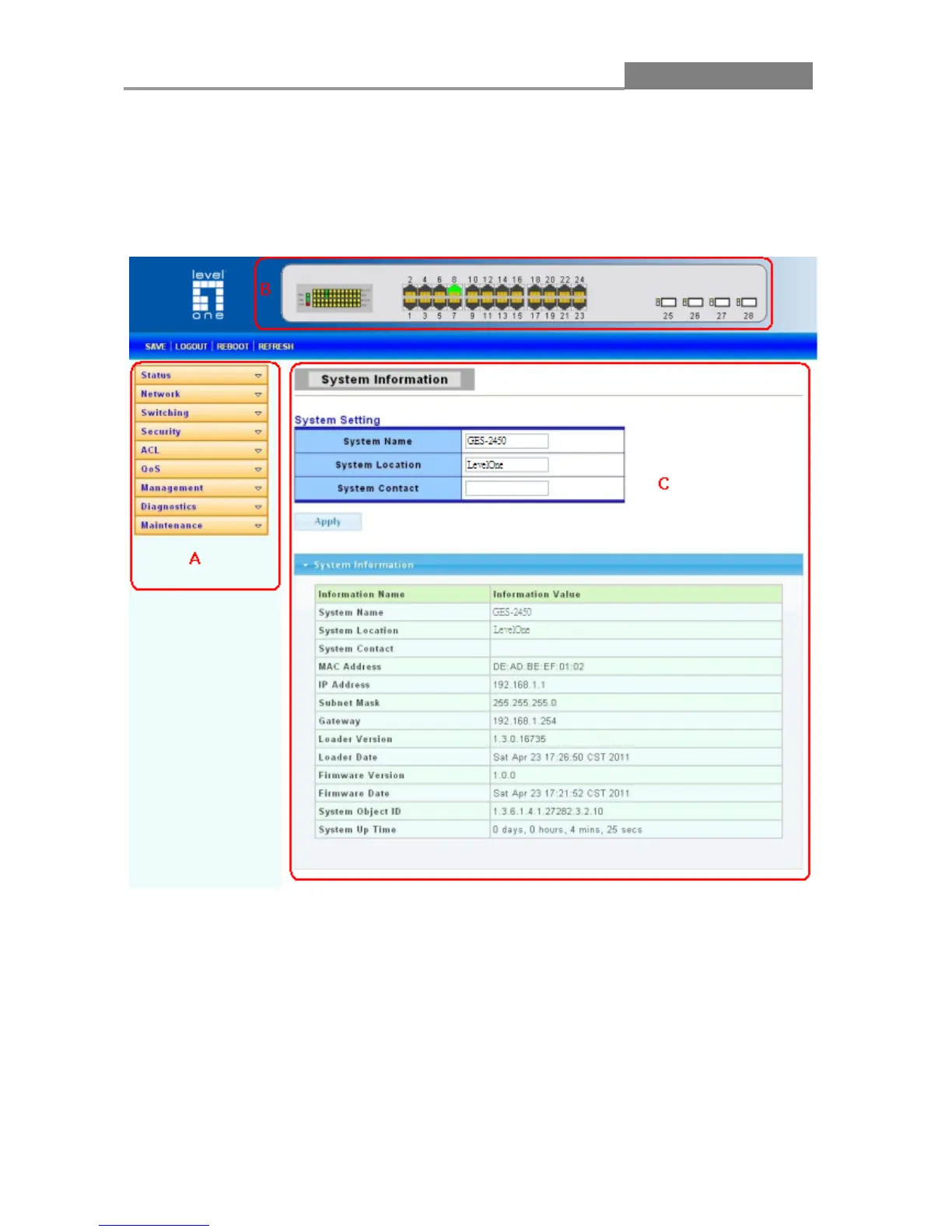
2.2 The Graphic User Interface
After the password authorization, the information page shows up. You may click on each folder on
the left column of each page to get access to each configuration page. The Graphic User Interface
is as follows:
A –Click the menu items to open submenu links, and then click on a submenu link to open the
screen in the main window.
B
–It shows the switch’s current link status. Green squares indicate the port link is up, while black
squares indicate the port link is down.
C
–Displays system information such as MAC address and firmware version.














 To Next Page