EasyManua.ls Logo

LevelOne GES-2450 - ACL Index Range Setting

LevelOne GES-2450
94 pages
Print Icon
To Next Page IconTo Next Page
To Previous Page IconTo Previous Page
Loading...
Web Smart Switch
70
14-src-port
Click in the square box to set Layer 4 source port into Template.
14-dst-port
Click in the square box to set Layer 4 destination port into Template.
tcp-flag
Click in the square box to set TCP flag into Template.
Apply
Click Apply to save your changes to the switch.
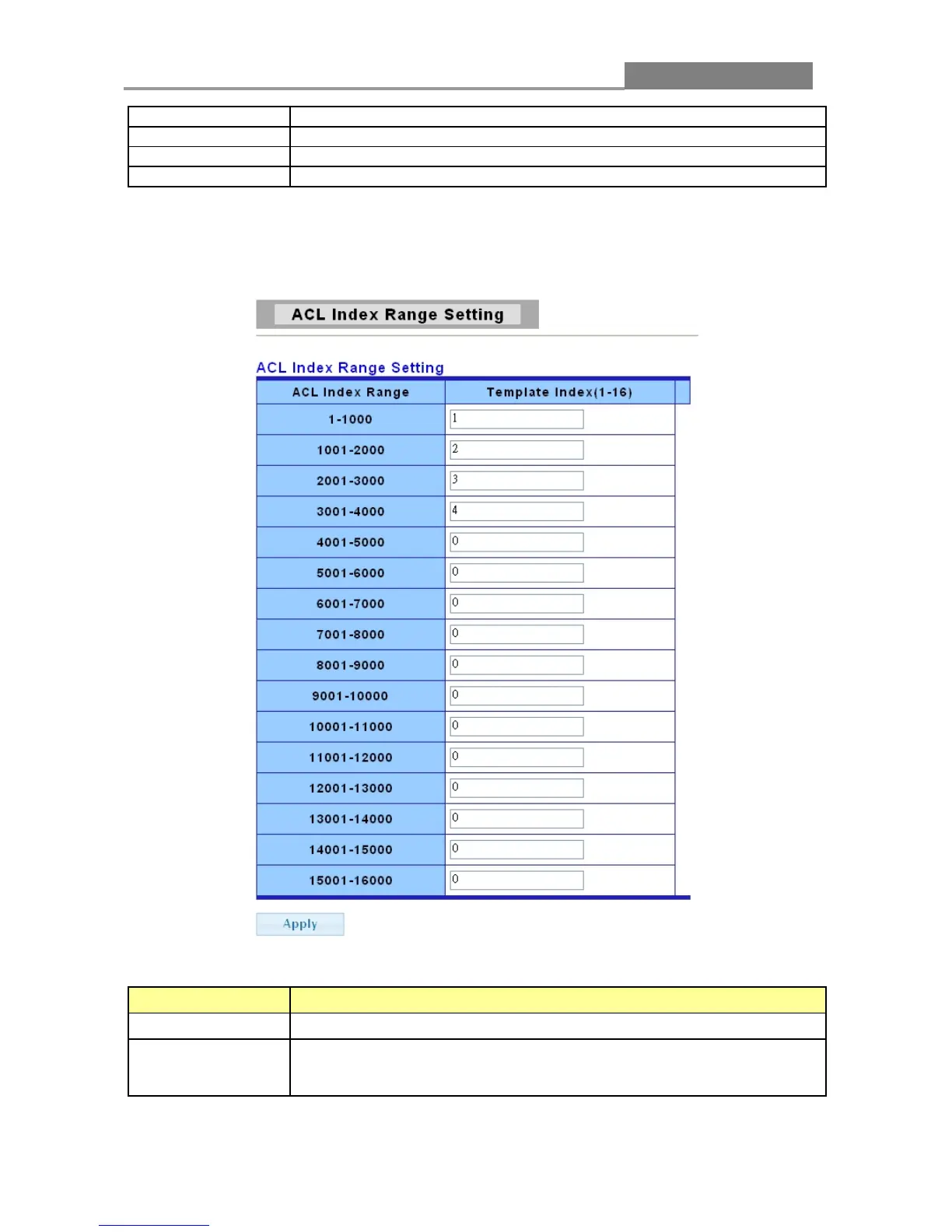
3.5.3 ACL Index Range Setting
The following table describes the labels in this screen.
LABEL DESCRIPTION
ACL Index Range
It displays the 16 types of ACL index range.
Template Index
Enter Template index mapping to specify range of ACL index in this
field.
Enter a number between 1 and 16 as the template index.

Table of Contents

Related product manuals