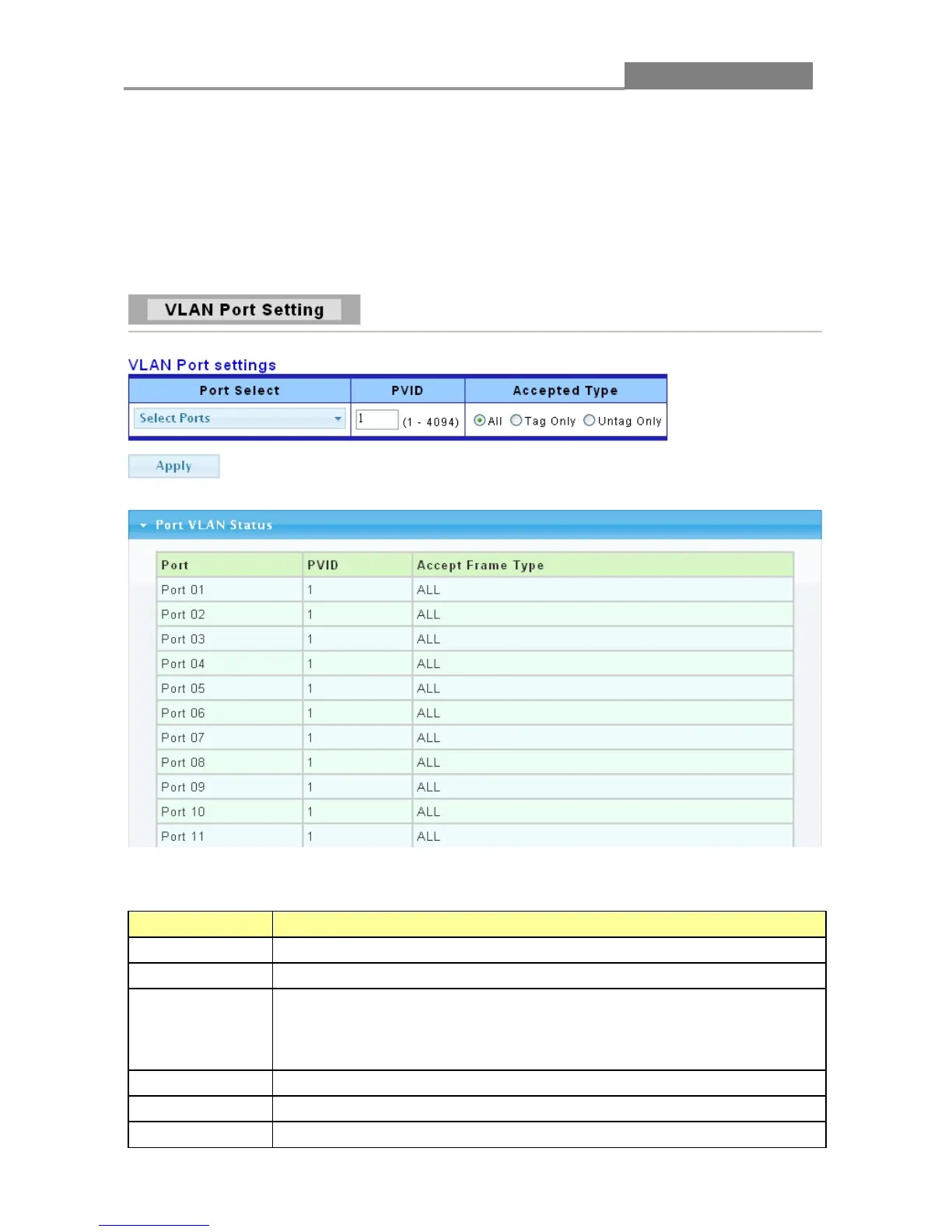
3.3.4.2 VLAN Port Setting
This page allow user to configure VLAN port related settings.
Click Switching > VLAN > VLAN Port Setting to access the screen below.
A PVID (Port VLAN ID) is a tag that adds to incoming untagged frames received on a port so that
the frames are forwarded to the VLAN group that the tag defines.
The following table describes the labels in this screen.
LABEL DESCRIPTION
Port Select
Select the ports to change the PVID for.
PVID
Enter a number between 1 and 4094 as the port VLAN ID (PVID).
Accepted Type
Select the accepted type of the VLAN port:
All: Accept tagged and untagged frames.
Tag only: Only accept tagged frame.
Untag only: Only accept untagged frame.
Apply Click Apply to save your changes to the switch.
Port
This field displays the port number.
PVID
This field displays the port VLAN ID (PVID).














 To Next Page